Share It On:
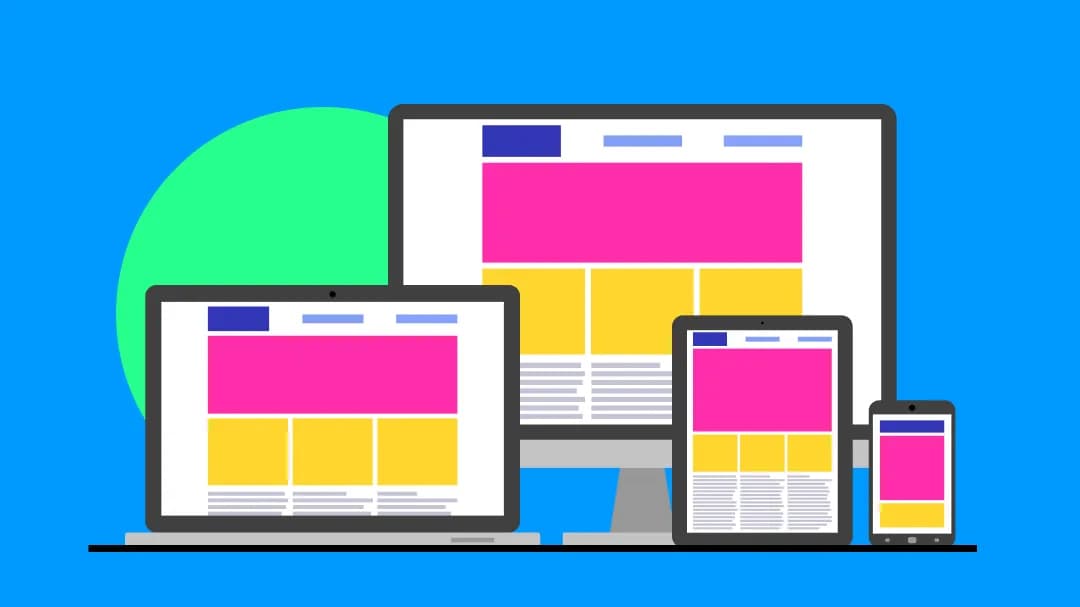 One website, every device, sounds impossible? Learn how designers make it happen with responsive techniques.
Designing a website today means designing for an ecosystem of devices, not a single screen. A layout that works perfectly on a large desktop can easily break on a smaller viewport, while interactions that feel intuitive on mobile may not translate well to tablets or wide displays.
The real challenge isn’t just making a site “responsive,” but ensuring that layouts, typography, navigation, and performance remain consistent and usable across varying screen sizes and device capabilities.
In this guide, we’ll break down the key principles and practical techniques to design websites for different screen sizes that adapt seamlessly without compromising usability or design integrity.
Understanding the Core Shift in Website Design
Designing for multiple devices is no longer about simply stretching your design for a larger screen or compressing it for a smaller one. This shift is now foundational; we are moving away from rigid designs and fixed layouts to more fluid ecosystems. To embrace this, here are the 3 core shifts you must consider-
1. From Viewport-Based to Container-Based Logic

Designs previously relied mostly on media queries, in simpler terms, designing the pages based on the total width of the browser. Today, it has shifted to using container queries. This allows a component to understand its own size and change its layout based on the space it occupies.
For instance, if you design a product card or a sign-up form, it will perfectly rearrange itself, regardless of whether it’s on a massive 5K monitor or a split-screen mobile view.
2. From Mobile-First to Context First

The old-school ‘Mobile First’ principle often leads to basic or boring mobile sites. The principles today, however, have shifted to context-first design. For web designers, it basically means that the user on a mobile phone is not just using a ‘smaller screen’- they are likely using touch, perhaps in bright sunlight, and often with lower cognitive bandwidth.
So, how does it translate into practical value? Instead of just hiding the elements on mobile, you need to adapt the designs as per user interaction.

For instance, for a practical mobile-first design, you can replace the hover menu with a bottom-aligned ‘thumb-friendly’ navigation bar.
3. From Static Grids to Performance-Driven Fluidity
A website that looks great but takes 5 seconds to load on a 5G connection is a failed design. The shift is now toward Intrinsic Design, where you let the content define the layout using CSS Grid and Flexbox, rather than forcing content into rigid, pixel-perfect boxes.
In order to ensure a consistent web design for different resolutions, you can focus on using relative units instead of fixed pixels. This makes your website resolution-independent. It stays crisp and perfectly aligned on everything from a smartwatch to a foldable tablet, without adding heavy code that slows down your SEO performance.

Why a Responsive Web Design is a Business Imperative?
An adaptive web design is not just an aesthetic choice, but is a critical driver of your business growth and success. A website that does not seamlessly adapt to different designs is at risk of alienating users and damaging brand reputation. So, along with implementing the latest web design trends, here’s why you should prioritize a responsive website design-
1. Google’s Mobile-First Indexing Can Dictate Your Traffic
Google predominantly uses the mobile version of a website for indexing and ranking. So, if your site hides content on a smaller screen, your search visibility will plummet across all devices.
2. Friction Can Kill Conversions
Websites with a responsive design are likely to achieve 11% higher conversion rates, as compared to others. The reason is simple: most users hate friction. So, if a user has to continuously pinch, zoom in or scroll horizontally to read a product description, they are more likely to bounce.
3. Maintains Operational Efficiency
If you choose to maintain a single, fluid codebase eliminates the need for separate desktop and mobile sites. This drastically reduces development overhead, QA testing time, and potential technical debt.
4. Brand Trust and Perceived Credibility
A responsive website design communicates modern competence and reliability. This instantly elevates your brand’s perceived value. Conversely, 88% of online consumers are less likely to return to a site after a bad user experience, such as a broken layout or non-responsive design
5. Future-Proofing for Emerging Devices
A truly responsive design utilizing fluid grids and relative units ensures your site will automatically adapt to next-generation foldables. A future-ready design can be displayed flawlessly on smart displays or ultra-wide monitors without requiring a complete, costly redesign.
Responsive Web Design Frameworks You Need to Know
We have been talking about fluid designs and their importance, but how exactly do you bring these designs to life? Here are the best web design frameworks you need to consider-
| Framework | Best For | Why You Should Consider It |
|---|---|---|
| Tailwind CSS | Custom, highly optimized designs with complete visual freedom | It uses a utility-first approach, meaning you style elements directly in the HTML instead of fighting with pre-built component styles |
| Foundation | Enterprise-level sites and complex, highly accessible web applications | It is incredibly robust and semantic, offering advanced responsive grid tools and built-in accessibility (a11y) features |
| Bulma | Lightweight, CSS-only development without JavaScript overhead | It is highly modular, meaning you only import the exact design elements your site actually uses, keeping your final product clean and fast |
| Pure CSS | Extremely lightweight, minimalist projects where site speed is paramount | It is remarkably small and provides a tiny footprint while still offering a rock-solid, responsive grid and basic styling modules |
| Bootstrap | Rapid prototyping and standardizing UI across large projects | It is the go-to choice when speed-to-market is your primary business goal and offers a massive, battle-tested library of ready-to-use components |
|
Ready to put these frameworks into practice? Read our step-by-step guide on the web development process. Seamlessly integrate the best tech-stack into your next web project. |
Key Components of a Responsive Website
To create a truly responsive website, you need to take a holistic approach to how elements dynamically interact with the space. This section explains 5 foundational components that top web developers incorporate to build an adaptable, high-performing interface.
1. Fluid Grids

Fluid grids use relative units like percentages, viewport widths, etc., rather than relying on rigid, pixel-perfect dimensions. This allows your layout to proportionally scale up or down, enabling columns and containers to resize naturally.
By prioritizing this, you can prevent layout breakage and eliminate frustrating horizontal scrolling across unpredictable device dimensions.
2. Flexible Images and Media

A fluid layout is useless if a fixed-width image bursts out of its container and ruins the user interface. By applying simple CSS rules, images and videos are instructed to never exceed the width of their parent container while scaling down proportionally.
Advanced implementations also utilize the element to serve differently sized image files based on the screen, saving precious bandwidth.
3. Contextual Breakpoints (Media & Container Queries)

While fluid grids handle proportional scaling, queries define the exact moments when a layout needs a fundamental structural change, like shifting from a three-column desktop layout to a single-column mobile feed.
Modern web design relies increasingly on Container Queries to adjust components based on their parent element's size rather than the entire browser width. Breakpoints in responsive design enable you to build highly modular UI components that adapt perfectly no matter where they are placed on the page.
4. Fluid Typography

Static font sizes force users to squint on mobile screens or feel overwhelmed by massive, broken headlines on desktop monitors. Fluid typography utilizes modern CSS functions like clamp to set a minimum, preferred, and maximum font size, allowing text to scale smoothly alongside the viewport.
This guarantees optimal legibility and maintains your design’s precise visual hierarchy without having to write dozens of repetitive media queries.
5. Touch-Optimized Ergonomics

Responsive design isn't just visual; it must account for how users physically hold and interact with different devices. Key interactive elements, like buttons and navigation links, must have a minimum tap target of 44x44 pixels to prevent frustrating accidental clicks on touchscreens.
Furthermore, moving critical navigation elements to the bottom of the screen on mobile accommodates the natural ‘thumb zone,’ drastically improving overall usability.
Real-Life Responsive Web Design Examples To Learn From
Whether you prefer to code manually or use AI in web design to help adapt your layouts for different devices, seeing great work in action is the best way to improve.
Here are excellent examples of responsive web design, along with specific, actionable takeaways you can learn from:
1. Airbnb

Airbnb is one of the most cited examples of a brand that committed fully to a mobile-first responsive strategy. When an audit revealed that mobile web had become Airbnb's most visited and fastest-growing platform, with as much as half of all traffic in growth markets like India and Brazil coming from mobile, the company completely rebuilt its mobile web experience from the ground up.
They didn't just resize the desktop layout; rather re-imagined the entire experience for smaller screens.
What can you learn: Mobile-first is a design discipline. Start by identifying the single most important action your user needs to take, then design the mobile experience around that. Add layers of complexity only as screen real estate grows.
2. Dropbox

Dropbox actively alters the user experience based on the device being used. For instance, the desktop version often features a more comprehensive layout with an additional Call-to-Action (CTA) to purchase premium storage or download the desktop app.
On mobile, the interface strips away the heavier elements, focusing purely on immediate account access, file viewing, and signing up for the basic tier.
What can you learn: Desktop users and mobile users often have different immediate needs. Keep mobile interfaces uncluttered. Hide secondary features behind well-organized hamburger menus and keep the primary actions front and center.
3. Dribbble

Dribbble, the popular design portfolio platform, is a textbook demonstration of how a flexible grid system can serve wildly different screen sizes without sacrificing usability. On a 13-inch laptop screen, Dribbble's portfolio tile images appear in a 4×3 layout, a balance between giving each portfolio enough visibility and presenting enough items to engage a range of audiences.
On something as small as an iPhone XS Max, Dribbble's grid scales down to a single column, highlighting the effectiveness of fluid, flexible grids.
What can you learn: Flexible grids are your best friend for content-rich, image-forward websites. Rather than designing separate layouts for every device, define your column structure proportionally and let it do the work.
Don't Just Design Webpages, Design an Ecosystem!
An effective website is a living, fluid ecosystem that adapts seamlessly to the user’s context, device, and intent. As we’ve explored, true responsiveness goes far beyond simply shrinking a desktop layout for a smaller screen.
It requires a fundamental shift toward fluid grids, contextual breakpoints, and performance-driven mechanics.
By prioritizing these principles, you aren't just making a site that looks flawless on today’s smartphones; you are future-proofing your brand for tomorrow’s foldables, smart displays, and ultra-wide monitors.
Ultimately, responsive design is no longer just a technical checkbox; it is the foundation of user trust, seamless accessibility, and higher conversions. Embrace the fluidity, design for the context, and build web experiences that meet your users exactly where they are.
Frequently Asked Questions
Is there a difference between a mobile-friendly site and a responsive one?
There is a massive gap here. A mobile-friendly build? That usually just shrinks your desktop view down. Users end up having to pinch and zoom constantly just to read a simple paragraph. Responsive design solves this by actively adapting. Grids drop into single columns, text bumps up in size, and navigation tucks into clean menus. You get a natural, seamless feel no matter what screen you are holding.
Will making my website responsive actually improve my SEO?
Yes, without a doubt. Google switched to mobile-first indexing a while ago, which changed the whole landscape. Now, their crawlers judge your content primarily based on the phone experience. So if the mobile view breaks or buttons are too close together to tap, your rankings will tank.
With frameworks like Tailwind and Bootstrap, how do I choose the right one?
That choice really comes down to your deadlines and your design goals. Bootstrap is great for speed. You can grab it and have a working prototype live quickly. The catch is that it usually looks exactly like a standard Bootstrap site.
Tailwind requires a shift in thinking. Rather than giving you pre-baked components, it relies on utility classes. You will write a lot more HTML, but the payoff is total visual control without fighting existing stylesheets.
Does a responsive website take longer to load?
It shouldn't at all. Done correctly, responsive setups actually cut down on bandwidth usage. Using modern CSS and the right HTML tags, browsers know to pull only the image sizes needed for that specific viewport. When built by experienced developers, a responsive site comes out incredibly fast.

Uncover executable insights, extensive research, and expert opinions in one place.
Related Content