
Relevance AI Review: Can This Platform Truly Build and Scale an Autonomous AI Workforce?
There's a strange little moment that happens the first time you watch an AI agent do your job. That moment is exactly what every AI agent platform is selling right now, and the market has gotten crowded fast. So when my team kept hearing Relevance AI mentioned in the same breath as "replace your SDR" and "build an AI workforce," we figured it was time to stop nodding along and actually see its worth.
We spent a few weeks building agents, breaking them, connecting integrations, burning credits we didn't mean to burn, and generally finding out whether the Relevance AI platform lives up to the hype or just rides it.
We'll walk you through every key feature, share my step-by-step experience building an agent from scratch, and lay out what we at MobileAppDaily liked and didn't about it.
Pros and Cons of Relevance AI
Pros
- Genuinely versatile, you can build almost any agent for sales, marketing, research, or support
- The Invent feature builds a working agent from a plain-English description in minutes
- A multi-agent setup lets specialized agents run in tandem like a real team
- 1,000+ integrations plus MCP support cover most GTM stacks
- The free plan lets you test the builder before paying
- Programmatic GTM via API and MCP for technical teams
Cons
- Credit consumption is unpredictable and can spike fast, the single most common user complaint
- Real learning curve, onboarding and the busy UI confuse a lot of new users
- Steep enough that non-technical folks need patience to get value out of it
- No native LinkedIn automation, you need a workaround like Zapier
- Users report no prorated refunds and a desire for more admin controls
Relevance AI Platform Features
To evaluate the platform's core operational capabilities, we analyzed its main configuration environments and structural tools. Below is our detailed breakdown of how these distinct components work together to help teams deploy a reliable AI workforce.
1. The Agent Builder
This is the heart of the platform. The Relevance AI agent builder allows users to spin up an agent in two distinct ways: by describing the desired outcome or by utilizing the no-code builder to wire the logic manually. Our research indicates that both methods offer robust functionality and flexibility.
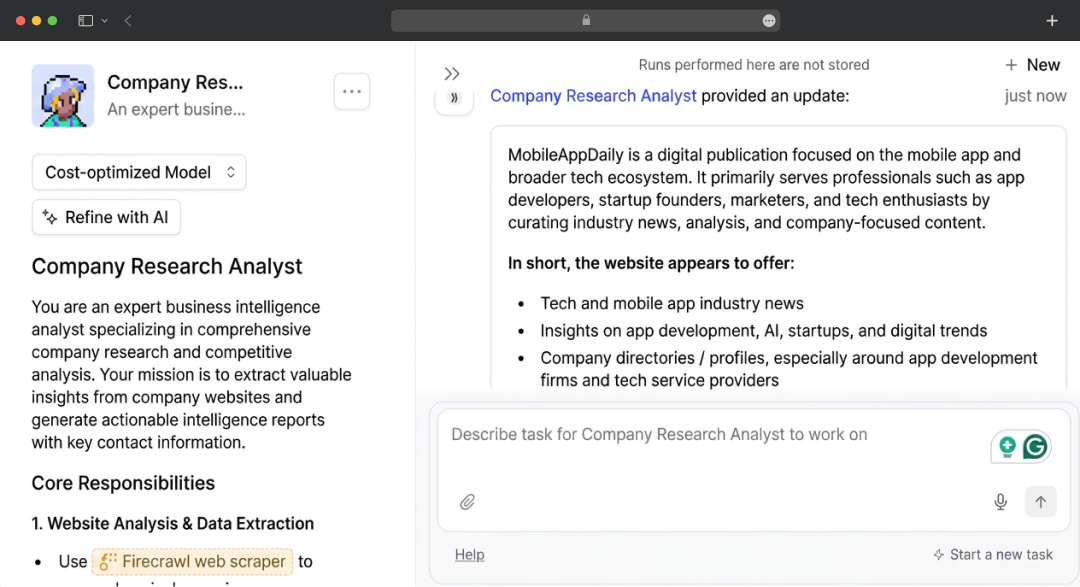
Every agent sits on top of a comprehensive system prompt, which handles the heavy lifting. In our analysis, we found this to be a double-edged sword. On one hand, mastering the prompting system grants an enormous amount of control over the agent's behavior.
On the other hand, when an agent misbehaves, the solution almost exclusively requires revisiting and tweaking the prompt (a loop that can become time-consuming).
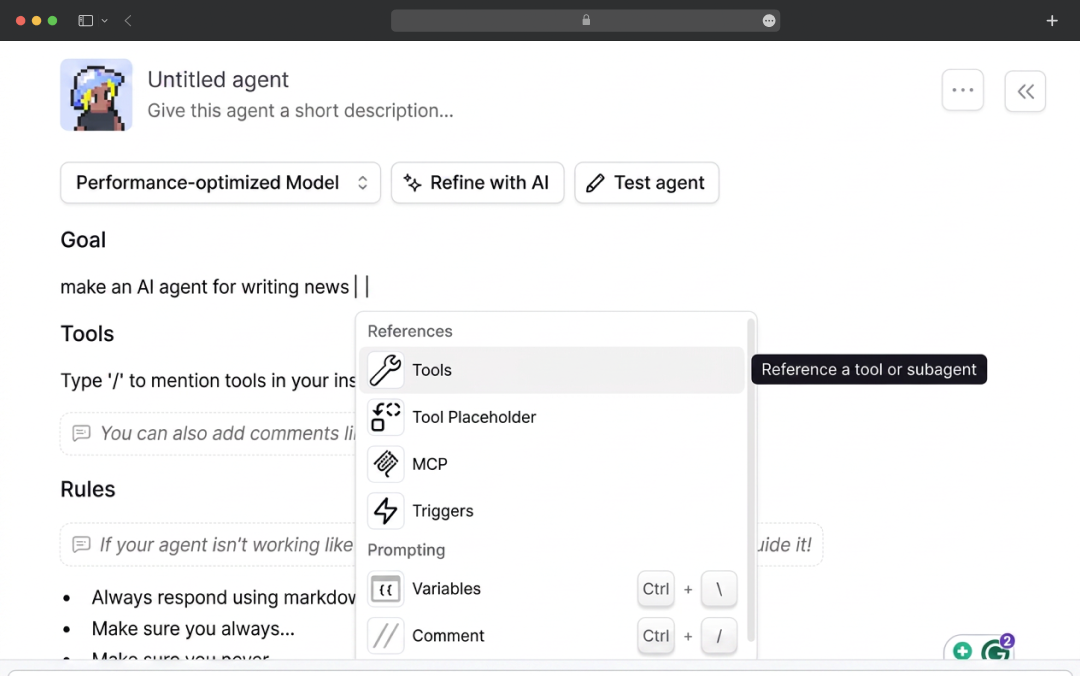
One highly practical detail we noted during our review is the ability to reference any tool the agent possesses simply by typing a slash inside the prompt. These subtle design choices significantly streamline the building process.
2. Agent Tools
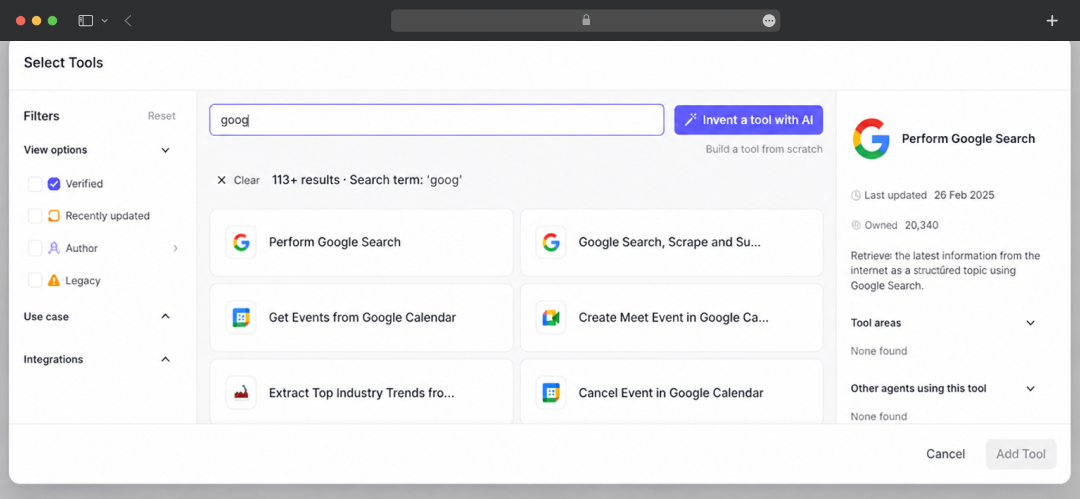
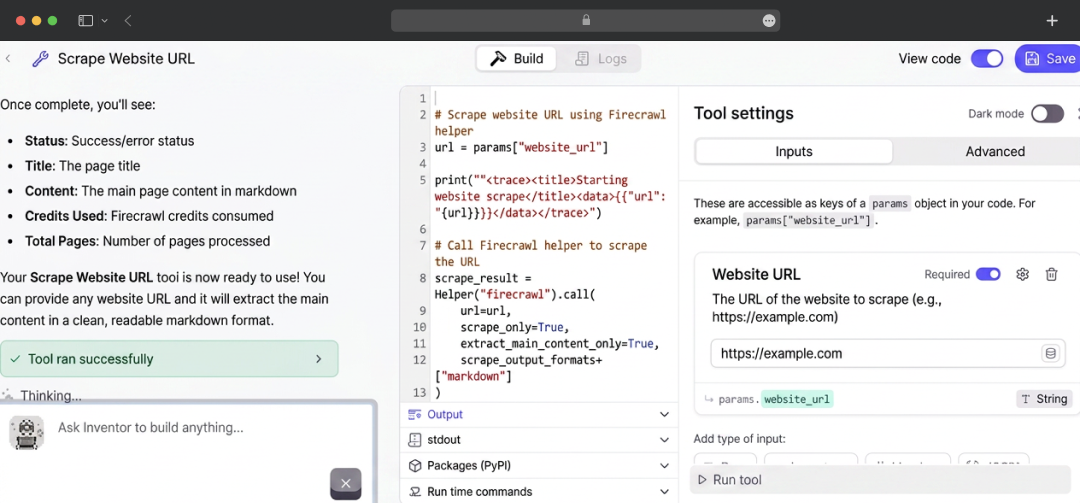
Agents on their own can only think. Tools are what let them do. Tools in Relevance is a reusable building block, an API call, a data lookup, an LLM step, a bit of code, that you attach to an agent so it can act in the world.
This is where the platform earns its keep. The Tool builder gives you a proper backend editor where you chain steps together, and it's cleaner than a couple of the bigger automation tools we've used.
3. AI Workforce and multi-agent systems
While single agents are effective, the platform’s true potential is unlocked through multi-agent communication. Relevance allows agents to manage sub-agents, enabling a manager agent to delegate tasks to specialized subordinates.
Our analysis of these capabilities demonstrates highly satisfying, end-to-end execution. The platform categorizes this framework as the "AI Workforce," shifting the focus from building an isolated bot to developing a comprehensive team that executes broader playbooks.
Real lesson from doing this: split tasks into small, simple jobs and give each one its own agent. For example, "mega-agents" tasked with handling multiple complex workflows simultaneously tend to give an inconsistent output. Conversely, lean hierarchies where each agent has a narrow, specialized focus proved to deliver far more reliable results.
4. Prebuilt Agents for Different Use Cases
On top of the build-it-yourself tooling, Relevance ships a stack of ready-made agents for common GTM jobs, plus a marketplace where you can grab community-built agents or publish your own. If you don't want to start from a blank page, these are a solid shortcut, and they double as good examples of how a well-built agent is structured. The headline ones:
- AI BDR Agent, built to book meetings around the clock by researching, qualifying, and reaching out to leads.
- Account Researcher, which does human-quality account research on autopilot, the kind of pre-call digging reps usually dread.
- Inbound Qualification, which qualifies inbound leads and books meetings without a human touching the top of the funnel.
- CRM Enrichment, which keeps your CRM records enriched with real-time data so your pipeline isn't full of stale junk.
- SEO Agent, which generates SEO content and pages automatically (this one caught my eye, given the work my team does).
- Inbox Manager, which handles inbound replies and fires off personalized follow-ups.
- Lifecycle Marketer, aimed at messaging every customer like they're your only one.
- Customer Support Agent, which handles support requests automatically, more on that below.
- MRP Agent, for getting more complex work done with a set of simple tools.
5. Invent
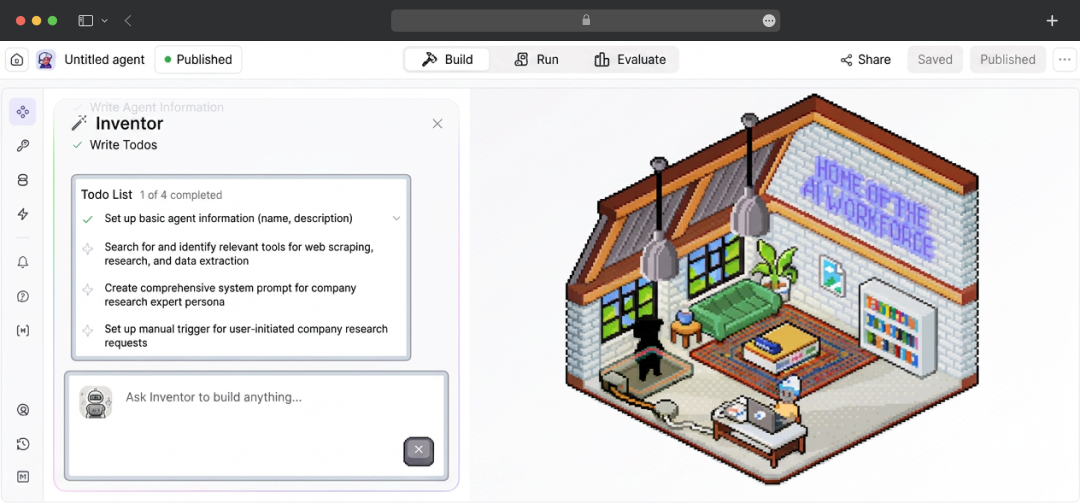
Invent is the "describe it and we'll build it" feature, and it's probably the flashiest thing on the relevance AI platform. You type something like "build me, agent for finding latest AI news," and Invent assembles the whole thing for you: the agent, its custom tools, and even the evaluations.
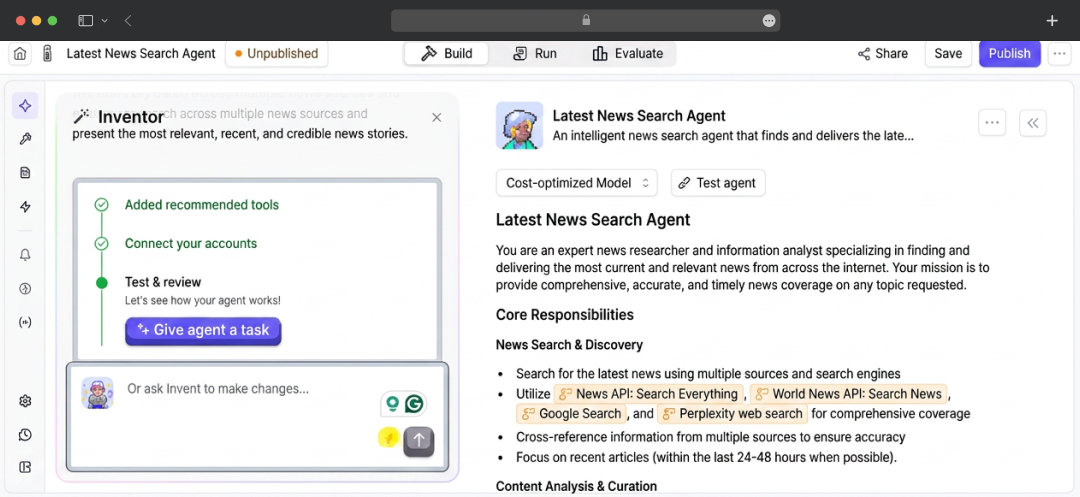
Then it asks to connect the apps it needs, like HubSpot and Gmail, with a couple of clicks. It genuinely works, and my first usable agent came together in well under ten minutes. The catch, and we want to be straight about this, is that Invent gets you maybe 70% of the way, not 100%. What it builds needs refining, and that refining happens back in the prompt and the tool configuration.
6. Scheduling
Scheduling is the feature that decides when your agents run and how much they're allowed to do. It covers recurring tasks, bulk schedules, pacing, and follow-ups, so it's less of a basic cron timer and more like time orchestration built for actual work.
The pacing piece matters more than it sounds. If you're running outbound, for instance, you don't want an agent firing 500 emails in one burst. Being able to spread the work out and set sensible limits is what keeps an automated agent from doing something dumb at scale.
7. Approvals and Escalations
This human-in-the-loop layer addresses a common early hurdle in AI automation. Out of the box, agents may frequently pause mid-task to request permission, which can hinder operational efficiency. The most effective fix would be to set the approval mode to "auto-run" and embed an instruction within the prompt directing the agent not to wait for sign-off at every standard step.
That said, the approvals system itself is a genuine strength once you understand it. You can set approval gates on exactly the actions that matter, so a low-risk task runs untouched while a high-stakes one waits for a human to okay it. Agents can also escalate on their own when their confidence is low. For anything customer-facing, that safety valve is worth its weight.
8. Integrations
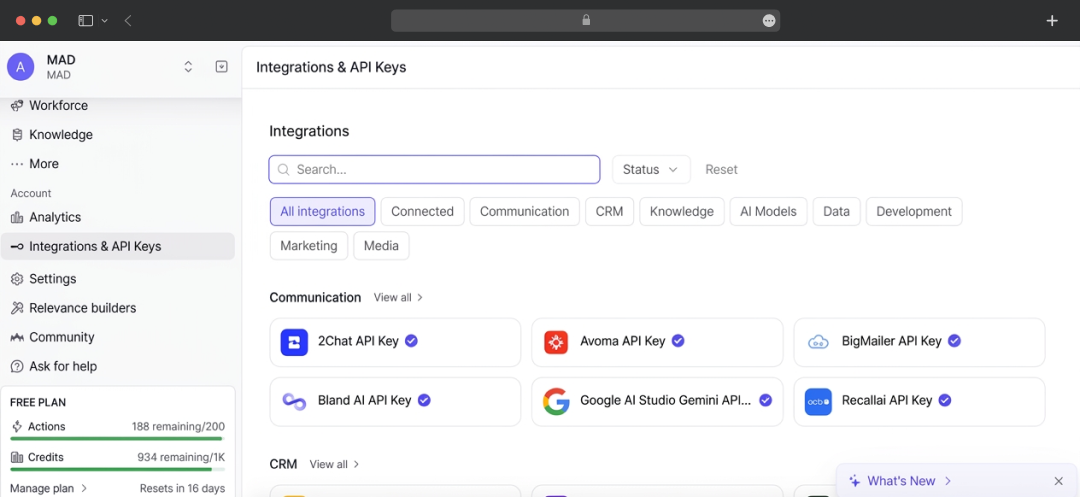
The integration story is one of the stronger arguments for the Relevance AI platform over lighter-weight rivals. They advertise well over a thousand native connectors plus MCP support, and the usual suspects are all there:
- HubSpot
- Salesforce
- Slack
- Gmail
- Google Sheets
- Apollo
- Notion
- Gong
- Zendesk
- Intercom
This is just a few of the many. For most GTM stacks, the thing you need is probably already supported.
The honest part is, while connecting platforms like Slack is virtually simple, reviews state that Google OAuth connections can occasionally experience lag or authentication friction. However, continuous updates from the provider appear to be stabilizing these finickier connectors.
9. Knowledge
Knowledge lets you give agents your context, your docs, your playbooks, your way of doing things, so they answer from your material instead of generic model output. This is the difference between an agent that sounds plausible and one that's actually right for your business. For support and sales use cases especially, plugging in a solid knowledge base is what makes the agent trustworthy rather than just fluent.
10. Evals
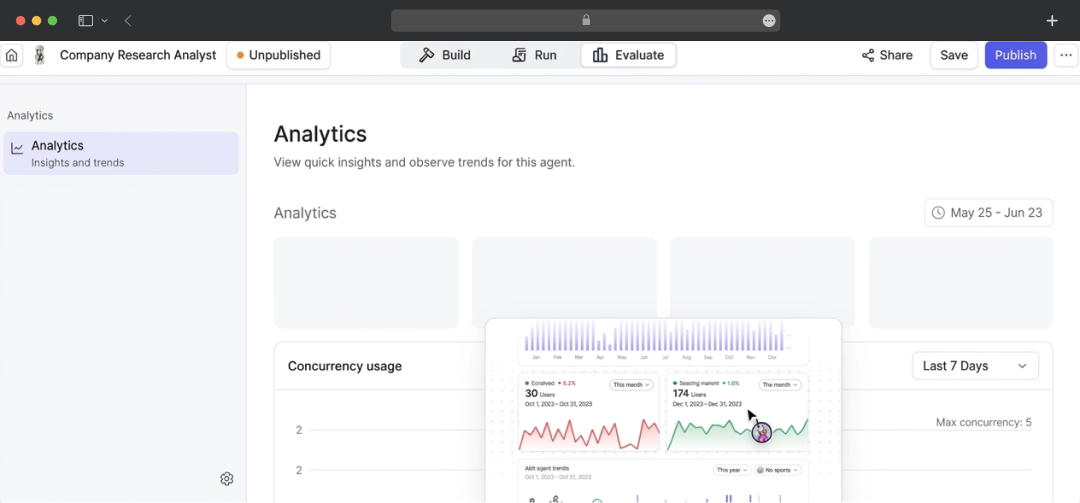
Evals is the part that pushed Relevance from "fun toy" into "I'd put this in production" for me. Your team defines what "good" looks like, and Evals scores the agent against that bar on an ongoing basis.
Our Relevance AI review highlights its effectiveness as a diagnostic dashboard, reliably tracking metrics such as email personalization quality and lead qualification accuracy week over week against strict thresholds. It provides a clear "safe to deploy" signal when an agent consistently passes these checks. For teams concerned about AI performance degrading quietly over time, having a measurable, data-driven quality gate prior to deployment is a massive operational advantage.
11. Channels: Chat Embed, Phone Agent, Slack, and Relevance Chat
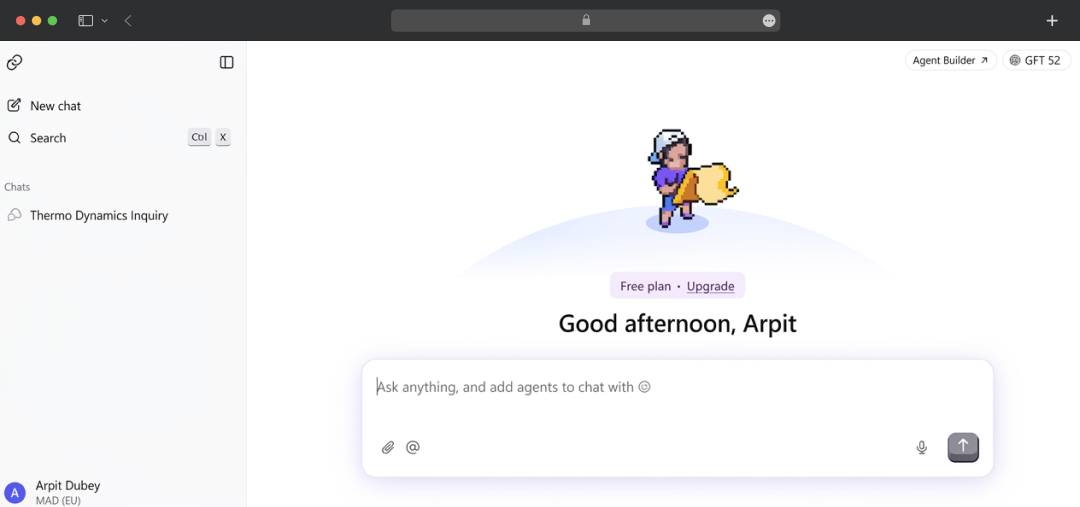
Building an agent is only useful if people can actually reach it, and Relevance AI gives you a few ways to deploy. Chat Embed turns any agent into a live chat widget you can drop onto your website. Phone Agent adds voice calling, so an agent can handle actual phone conversations.
The Slack integration lets your team use agents without leaving Slack, with no context switching, and Relevance Chat lets you talk to your agents like teammates inside the platform itself. Whichever surface your customers or your team live on, there's usually a way to meet them there.
12. Version control
Relevance AI includes native version control. It is a vital safeguard that our research found surprisingly absent in many competing agent platforms. Every save automatically generates a new version across both agents and tools.
You can save changes as drafts and test new prompts or workflows without touching what's live, see the full history of who changed what and when, and roll back to a stable state with one click if something breaks. For a team poking at live agents that handle real conversations, this is the safety net that lets you experiment without sweating.
13. Collaboration and sharing
Collaboration and sharing is the layer that makes Relevance work for a team rather than a solo builder. You can work on your own or scale up with colleagues while keeping clarity over who's doing what, sharing agents and tools across the team instead of everyone reinventing the same wheel. Combined with the role-based access controls, this is what lets ops, sales, and marketing all build and run their own agents without stepping on each other.
14. Marketplace and Builder Community
Beyond the core configuration tools, Relevance AI has a thriving Marketplace and an active builder community. The Marketplace serves as a centralized hub offering a curated, diverse selection of pre-built Agents, individual Tools, and entire multi-agent Workforces.
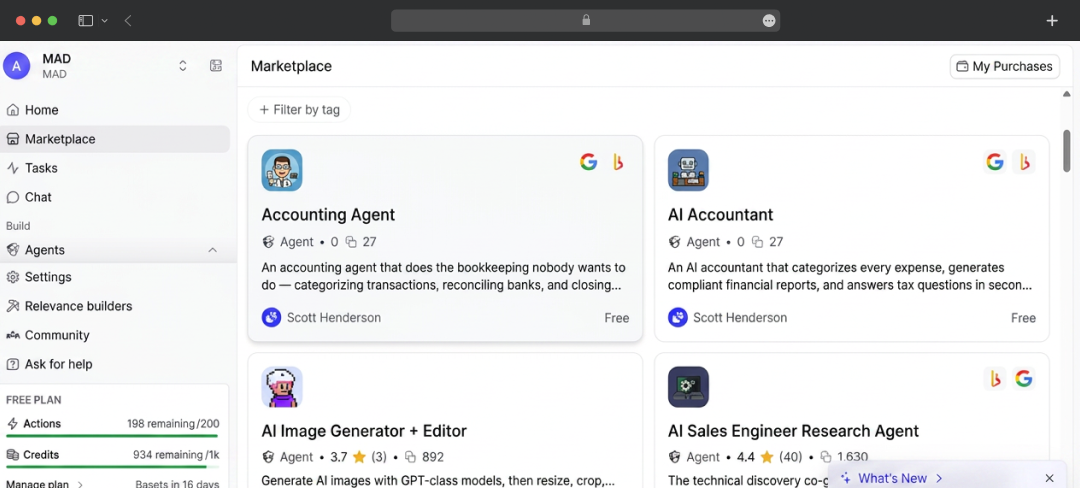
Rather than starting from a blank canvas, teams can instantly clone ready-to-use templates (ranging from automated customer support bots to advanced marketing strategists) and customize them to fit specific organizational workflows.
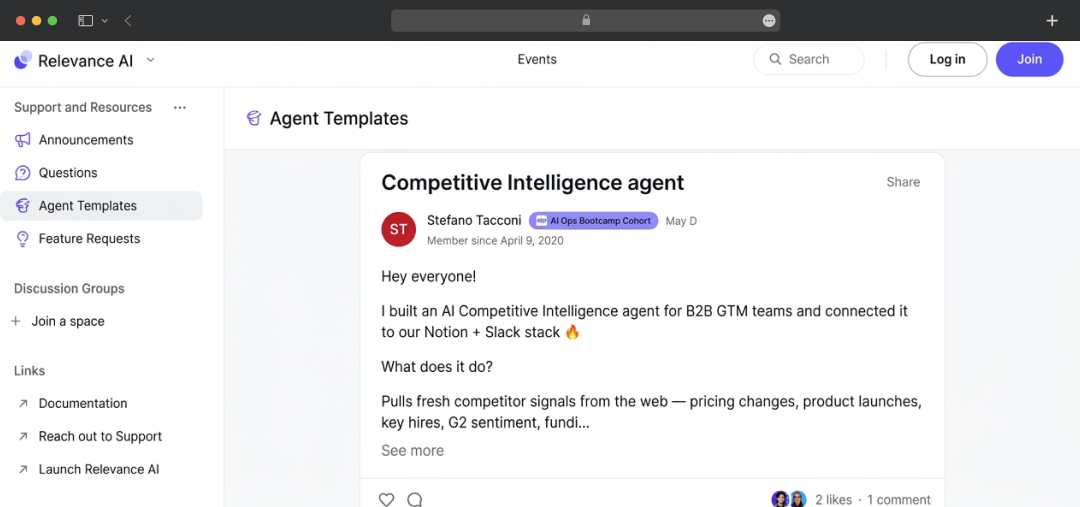
This ecosystem is driven by "Relevance Builders," a vetted network of community creators who develop and publish both free and premium assets. Furthermore, the platform supports an engaged community forum where developers regularly showcase custom API integrations, share complex agent architectures, and troubleshoot edge cases collaboratively.
15. Programmatic GTM (API and MCP)
This one is for the more technical teams, and it's a feature that has proven exceptionally robust in our analysis. Programmatic GTM allows developers to build and manage the entire agent architecture directly from a coding environment rather than navigating the UI. By connecting Relevance to an MCP-compatible client (such as Claude Code, Cursor, VS Code, Claude Desktop, or ChatGPT) users can deploy natural language commands directly in their terminal.
It's not just running existing agents either. You can create agents, build tools, set up whole workforces with triggers and handoffs, trigger and troubleshoot agents, pull conversation logs to debug a misbehaving one, and iterate on instructions, all programmatically.
For a GTM engineer who lives in the terminal, that's a genuinely powerful way to work, and there's a proper API plus a Python SDK underneath it. The MCP server and the Claude Code plugin are free to use; you just pay for the actual agent and tool usage like normal.
16. Metadata
Metadata is a quieter feature but a smart one. It automatically captures high-value data from every agent task, so over time, you build up a record of what your agents are actually doing and producing, without manually logging any of it.
For anyone who needs to report on outcomes or spot patterns later, having that data captured by default rather than as an afterthought is the kind of thing you only appreciate a few months in.
Relevance AI Pricing Plans
Relevance AI offers a tiered pricing structure designed to scale alongside your usage. Instead of a one-size-fits-all model, the plans are categorized by the number of "actions" (the tasks your agent performs) and "credits" (the compute costs for the underlying AI models) you need each month.
Whether you are just testing the platform out or deploying a full fleet of AI agents across an entire organization, there is a tier designed to fit your needs. Here is a clear breakdown of their current monthly plans:
| Plan | Price (Monthly) | Price (Annually) | Key Allowances & Features |
|---|---|---|---|
| Free | $0 | $0 |
|
| Pro | $29 | $19 |
|
| Team | $349 | $234 |
|
| Enterprise | Custom Quote | Custom Quote |
|
Customer Reviews
How was your experience with the product?