
Hourly App Review: Manage Payroll & Time Cards with Ease
There have been many mobile apps promising to ease the lives of small business owners. Today, you’ll find a range of apps for businesses on the market. With so many apps available, how do you choose the right one as a small business owner? What if we told you about an app that can save you time and money and eliminate the need of using separate apps for workers’ comp, payroll, and time-tracking?
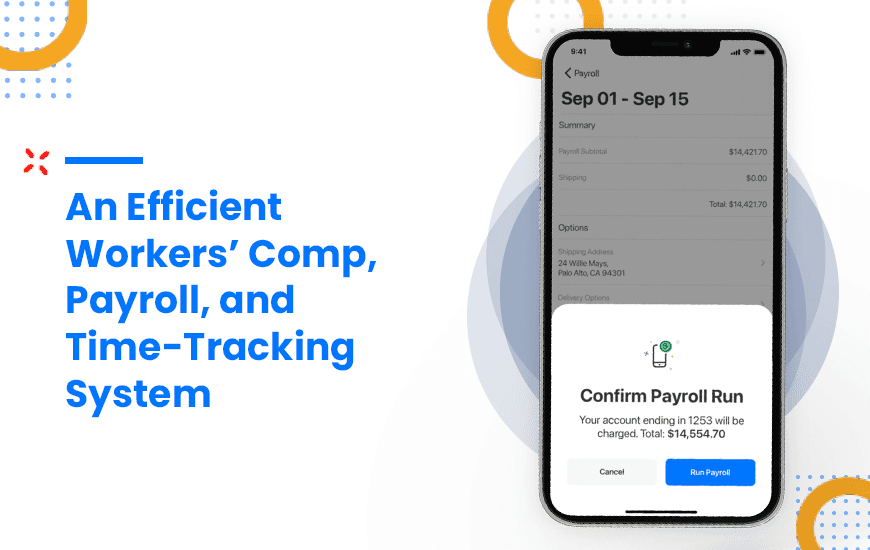
Hourly.io, an insurtech startup that combines workers’ comp, payroll, and time tracking in one software platform, understands the needs of small and medium businesses with mobile and hourly workers. Hourly’s payroll software is available for both Apple and Android mobile devices and online through www.hourly.io. Before using the app, you’ll need to connect with Hourly’s sales team to set up your account.
Hourly is the only company to combine workers’ comp, payroll, and time-tracking on one platform for small and medium businesses in the skilled trade industry. Why put them all on the same platform? Usually, workers’ comp premiums are based on yearly payroll estimates. And at the end of the year, a business’s payroll is audited—and if they underestimated their payroll, they’re slammed with a big workers’ comp bill. They essentially have to pay for all that insurance they didn’t realize they needed.
Hourly’s innovation connects payroll and workers’ comp using real-time data so small businesses get accurate premiums every month. Unlike its competitors, Hourly uses real-time payroll numbers to calculate workers’ comp premiums to ensure that they are accurate down to the penny. While most insurance carriers only collect two data points, Hourly collects millions to ensure that premiums are always accurate. This is especially helpful for businesses with mobile and hourly workers who are constantly shifting between projects.
Whether you run a small company of your own, are planning to start a small business, or manage a small team with hourly or mobile workers, Hourly is one of the best workers’ comp, payroll, and time-tracking applications that can help you save time and money and simplify workers’ comp.
Pros and Cons of Hourly
Pros
- Easy-to-use interface – User-friendly design for admins and staff
- Real-time payroll sync – Auto-calculates wages & taxes instantly
- Workers’ comp built-in – Pay-as-you-go workers' comp integration
- Accurate time tracking – GPS-based clock-ins and shift tracking
Cons
- Limited integrations – Not as many third-party tool connections
- Not ideal for very large businesses – Best suited for SMBs
- No free plan – Only paid options available
- Limited customization – Reporting and settings may feel basic
Features of Hourly
Hourly’s platform comes with features that streamline workers’ comp and payroll processes for small businesses—while saving customers money on premiums by linking payroll data to workers’ comp. Here’s how this software makes it possible.
1. Comes with a GPS-based attendance system

Hourly uses GPS data to determine the location of employees working for you along with additional data such as hours worked, clock-in and clock-out time, job location, job type, etc.
Hourly offers these GPS-based features :
- Designate areas for employees to clock in and clock out
- Enforce 8-hour days to limit employees from working overtime
- Enforce time card approvals so employees sign their time cards before receiving their pay
- Enforce mandatory breaks for employees
- Set up and enforce clock-out reminders for employees
2. Streamlines the payroll system

Hourly offers a set of features for small businesses to help them streamline their payroll system:
- With Hourly, it’s easy to calculate, file, and pay local, state, and federal payroll taxes with a single click
- The platform also issues and files W-2s and shares them with employees and contractors of the business
- Hourly uses e-file, e-sign, and e-fax technologies to file tax forms like W-2, 1099, 940, 941, and other such local, federal and state payroll tax forms for companies
3. Pay your team on the same day with direct deposit

Hourly pays your employees on the same day if you process payroll before 10 AM. And you can run as many payrolls as you want without having to pay any extra costs. Some additional payroll benefits include:
- Flexibility to pay weekly, bi-weekly, or bi-monthly
- Suitable for both temporary and salaried employees
- Monitor and approve employee expenses manually
- Process prevailing wages from the same app
4. Automate the tax filing process

With Hourly, you don’t have to calculate payroll taxes manually. Hourly’s platform saves time and cuts down on paperwork by calculating your payroll taxes and filing them on your behalf. Press the payroll button and let the app do its magic.
- Hourly offers additional tax-related features as well, including:
- Export payroll reports in Excel and PDFs
- Automate deductions of pre-tax benefits like medical insurance and 401(k) among others
- Add pre-tax or post-tax deductions
5. Smoother employee management with Hourly

When you run a business, you face many different challenges. Hourly’s team of experts understands this. As a result, Hourly provides assistance from experts that can help you solve your HR queries—and users can always speak to someone on the customer success team. Hourly also offers other features to upscale your employee management experience, including:
The premium Hourly subscriptions are divided into two categories: Gold and Platinum.

Customer Reviews
How was your experience with the product?