This huge acceptance and demand have led the market projections for the global cybersecurity market to reach $500.70 billion by 2030 (Grand View Research). Additionally, according to IBM research, the average cost of a data breach has already hit a record $4.45 million. Therefore, today, simply reacting to a cyber attack is no longer enough. The right cybersecurity tools can automate detection and response, empowering your team to proactively neutralize threats instead of just fighting fires.
Now, let’s dive into the 17 essential cybersecurity solutions.Read Less
17 Most Essential Cybersecurity Software
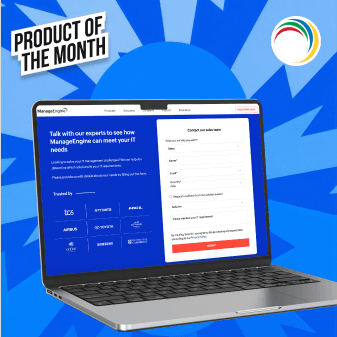

ManageEngine Endpoint Central
Pros & Cons
Pros
- Unifies UEM, AI-driven EDR, native DEX, and Zero Trust private access under a single agent
- Proactive Ransomware rollback uses smart behavioural analytics to stop fileless attacks in real time and instantly recover encrypted data
- Extensive patch management solution automates testing and deployment for multiple operating systems and over 1,100 third-party apps based on active risk
- Endpoint Central unifies operational management and advanced endpoint security into a single cohesive workflow.
- Zia AI engine automates alert triage, generates deployment scripts, and flags device behaviour anomalies intelligently.
Cons
- Advanced security tools like EDR and Secure Private Access are tiered separately as add-ons
- Building highly complex reports requires technical expertise, as the platform tracks nearly every endpoint metric
Why You'll Love It
ManageEngine Endpoint Central consolidates dozens of IT tasks into a single, powerful console. The seamless integration of built-in Zia AI and automated workflows allows you to manage and secure your entire endpoint landscape across Windows, Mac, Linux, and mobile from one place.Top Features
- Unified Endpoint Management (UEM)
- Endpoint Security & Vulnerability Remediation
- Digital Employee Experience (DEX)
- Endpoint Detection and Response (EDR)
- Ransomware Protection
- Reporting, Auditing, & CIS Compliance
- JIT (Just-In-Time) Privilege Elevation
- Mobile Device Management (MDM) & BYOD
- OS Imaging & Deployment
- Application Distribution & Control
- Browser Security Management
- Data Loss Prevention (DLP)
- Secure Private Access (Zero Trust Access Control)
- Advanced Remote Troubleshooting
- IT Asset Management (ITAM)
- Unified Endpoint Management (UEM)
More about product
What stood out most in our evaluation was how unified everything felt. Endpoint Central layers Zia, its built-in AI, on one lightweight agent across Windows, Mac, and Linux; so you're deploying patches, pushing security policies, and letting endpoints self-heal through automated workflows, all without bouncing between screens.
We also appreciated how the integrated malware protection, behavioral ML-based detection, and Zero Trust architecture are instrumental in enforcing least-privilege access. The platform’s threat detection is exceptionally proactive. It goes beyond simple automation to deliver context-aware patching and AI-generated remediation scripts that detect file-less malware and zero-day threats before they're exploited.
ManageEngine Endpoint Central also shrinks the attack surface by continuously hunting for misconfigurations across the OS, browsers, and apps, with results measured against CIS benchmarks.
Reporting and audits are the two areas where the platform really pays off. You get audit-ready reports and live dashboards with real-time risk visibility, which makes meeting standards like ISO 27001, NIS 2, and PCI DSS a lot less painful. It's about moving IT from putting out fires to running things on autopilot.

NordLayer
Pros & Cons
Pros
- Granular access control with an integrated Cloud Firewall
- Automates security checks with Device Posture Security
- Automates onboarding with SCIM integrations
- Blocks threats with features, like Web Protection and DNS filtering
Cons
- Advanced features can have a learning curve for new admins
- Deep Packet Inspection may impact performance on slower networks
- Some granular reporting features are still in development
Why You'll Love It
You'll love how NordLayer’s Cloud Firewall, combined with Device Posture Security, works. It allows you to create granular, identity-based access rules without the usual complexity, securing your hybrid workforce with impressive ease.Top Features
- Secure Access Service Edge
- Cloud Firewall & Segmentation
- Device Posture Security
- Automated Threat Protection
- Centralized Management Console
More about product
NordLayer is a strategic security partner for the modern enterprise. Its unified control panel is a perfect solution for cybersecurity threats. It eliminates the need to switch between multiple dashboards, allowing you to manage user access, enforce security policies, and monitor network activity from a single pane of glass.
The threat block feature operates as a proactive shield, neutralizing malware and phishing links before they can reach an employee's device. We also found the Device Posture Security invaluable; it automatically checks connecting devices for compliance, blocking or limiting access for non-compliant hardware. Moreover, this automated security hygiene is a massive operational relief. Plus, all this is delivered over the NordLynx protocol, ensuring security concerns don't bottleneck employee productivity. Lastly, we concluded that it’s a solution built and tailored for today's distributed work models.

Aikido Security
Pros & Cons
Pros
- Group similar issues so you can quickly solve as many issues as possible
- Stops security issues before they get to the main branch through branch scanning
- Generates shareable compliance reports for SOC 2 and ISO 27001
- Integrates natively into existing compliance suites from start to audit-ready
Cons
- The DAST scanner may be less robust than specialized standalone tools
- Its integrated Web Application Firewall is a newer feature, lacking the maturity of established providers
- Focuses primarily on application security, not broader network monitoring
- Advanced reporting and dashboard customization options are limited compared to its competitors, like ManageEngine Endpoint Central
Why You'll Love It
Aikido’s standout feature is its Reachability Engine, which goes beyond just finding vulnerabilities. It proves whether an exploit is actually reachable in your code, letting your developers focus only on the critical threats that truly matter.Top Features
- All-in-One Code Scanner
- AI-Powered Vulnerability Triage
- Vulnerability Reachability Engine
- Automated Compliance Reporting
- Seamless CI/CD Integration
More about product
Aikido is engineered to solve the core problem of modern app security threats. Its auto-triage and deduplication features immediately cleaned up our vulnerability backlog, transforming a cluttered list into a prioritized action plan.
It has consolidated over 11 scanning capabilities. This includes Static Code Analysis, Cloud Posture Management, Container Image Scanning, Malware Detection in dependencies, and much more, in one platform. Overall, these provide a true single source of truth for your code and cloud security. Further, it eliminated the need for multiple disjointed tools. Its ability to scan features empowers developers to fix issues in the pre-production stage. This proactive stance also allows developers to validate security fixes before merging, confirming that a patch is effective. For any business undergoing audits, the one-click SOC 2 and ISO 27001 reports are invaluable for streamlining compliance and security reviews. It’s a security tool built for the reality of developer workflows.

Sophos
Pros & Cons
Pros
- Synchronized Security automatically coordinates responses between endpoints and firewalls.
- Sophos Central manages the entire product portfolio.
- Offers a 24/7 Managed Detection and Response (MDR) service for expert oversight.
- Intercept X provides strong anti-ransomware and exploit prevention features.
- Deep learning AI helps detect previously unknown and zero-day malware.
Cons
- Firewall appliance performance can lag behind some specialized network competitors.
- The full benefit of Synchronized Security requires investment in the Sophos ecosystem.
- Resource consumption of the endpoint agent can be high on older hardware.
- Mobile security features are less robust than dedicated UEM/MDM solutions.
Why You'll Love It
You’ll love how Sophos’ products actively work together through a feature called Synchronized Security. Its standout ability is letting your firewall and endpoints share threat intelligence, enabling instant, automated responses like isolating a compromised device without any human intervention.Top Features
- Synchronized Security Ecosystem
- 24/7 Managed Detection (MDR)
- AI-Powered Endpoint Protection
- Unified Management Console
- Next-Gen XGS Firewall
More about product
Sophos is designed as a cohesive security ecosystem, aiming to simplify complexity in an understaffed industry. The Managed Detection and Response (MDR) service was a standout, providing 24/7 access to elite threat finders who actively find and neutralize threats on your behalf. We were impressed by the Intercept X endpoint, whose CryptoGuard feature can instantly roll back unauthorized file encryption from a ransomware attack.
The XGS Firewall offers deep packet inspection while sharing app and threat data with the endpoint. The Synchronized Security uses this link to automate incident response, which we saw cut down containment times significantly.

CrowdStrike Falcon
Pros & Cons
Pros
- Its cloud-native architecture provides powerful AI-driven EDR.
- Integrates elite, real-time threat intelligence on adversary groups.
- Offers an expert-led 24/7 managed threat hunting service.
- Provides extensive visibility into identity and cloud workloads via XDR.
Cons
- Premium pricing makes it more expensive than traditional cybersecurity solutions.
- Its full potential requires licensing multiple modules on the platform.
- Lacks some integrated network security features, like a dedicated firewall.
- Automated remediation for complex incidents is less extensive than some rivals.
Why You'll Love It
CrowdStrike Falcon delivers immense security power through a single, lightweight agent. Its standout cloud-native Threat Graph analyzes trillions of security events in real-time to uncover sophisticated attacks that other solutions miss, without bogging down your endpoint.Top Features
- Cloud-Native EDR & XDR
- Single Lightweight Agent
- AI-Powered Threat Graph
- 24/7 Managed Threat Hunting
- Identity Threat Protection
More about product
The CrowdStrike Falcon platform is engineered for speed, built to outperform modern adversaries. We found the platform’s focus on rapid detection and response to be paramount. Its core Endpoint Detection and Response (EDR) provides unparalleled real-time visibility, allowing analysts to investigate incidents with precision.
The AI-powered threat prevention engine consistently blocks fileless attacks and zero-day exploits. The Falcon OverWatch service is a game-changer, helping in 24/7 threat hunting. Additionally, its Identity Threat Protection module added crucial visibility into anomalous account behaviour, helping stop lateral movement. Overall, it works best by managing everything from the unified command console, which streamlines security operations and provides a single source of truth from endpoint to cloud.

Malwarebytes
Pros & Cons
Pros
- The cloud-based Nebula platform provides easy-to-use central management.
- Strong web protection proactively blocks access to malicious and phishing sites.
- Exploit protection shields against attacks targeting software vulnerabilities.
- Includes vulnerability assessment and automated patch management modules.
Cons
- Lacks the advanced threat-hunting EDR features of enterprise-grade rivals.
- Offers limited third-party integrations compared to larger security platforms.
- Reporting capabilities are functional but less granular than some competitors.
- Does not currently offer an in-house managed detection and response (MDR) service.
Why You'll Love It
Malwarebytes has an unparalleled remediation power. It thoroughly detects and surgically removes deeply embedded threats that other security solutions often miss, making it an essential tool for incident response and system cleanup.Top Features
- Industry-Leading Threat Remediation
- AI-Powered Malware Detection
- Proactive Web Protection
- Software Exploit Protection
- Centralized Cloud Management
More about product
Nearly half of consumers (44%) are overwhelmed by security updates and safety precautions, which causes them to take no action. Malwarebytes delivers an accessible yet powerful endpoint security solution. Its AI-powered detection engine is a key highlight, effectively identifying and blocking zero-day threats without relying on traditional signatures.
The platform truly shines in incident response, where its remediation tools can root out cyber attacks with a precision that only a few can match. The Web Protection module is highly effective, which proactively blocks employee access to phishing sites and ad trackers. Its Exploit Protection secures vulnerable applications against common attack techniques, providing a critical shield for software. Recently, Malwarebytes also introduced Malwarebytes Tools, a free utility suite that we found provides valuable aids for troubleshooting and optimizing Windows devices. The new Windows Firewall Control feature even offers a simplified way to manage and enforce firewall policies, helping to standardize security configurations across endpoints (devices).
ESET
Pros & Cons
Pros
- Uses low system resources and has minimal performance impact.
- UEFI scanner detects deep-level, persistent threats.
- The Unified ESET PROTECT console provides robust centralized management.
- Includes integrated vulnerability and patch management modules.
- Offers strong full disk encryption and advanced threat defense (XDR).
Cons
- Does not offer an in-house Managed Detection and Response (MDR) service.
- Mobile device management capabilities are basic compared to dedicated UEMs.
- Some advanced features, like cloud sandboxing, are tied to higher license. tiers.
Why You'll Love It
ESET stands out for providing robust, multi-layered threat protection without slowing down your different devices. Most importantly, your team’s productivity is never sacrificed for the sake of security.Top Features
- Low System Performance Impact
- Multilayered Threat Defense
- Deep-Level UEFI Scanner
- Unified Security Management
- Integrated Full Disk Encryption
More about product
ESET provides a security platform that prioritizes both high detection rates and operational efficiency. Its multilayered defense impressed us. It uses machine learning and advanced memory scanning to effectively block attacks. The deep-level UEFI Scanner was a key differentiator, detecting persistent threats that hide in a system’s pre-boot environment.
The ESET Protect helps manage security across your entire organization. It gives an instant visibility of network security, automated resolution of security incidents, and even full-disk encryption and cloud sandbox management.
The Vulnerability & Patch Management module proactively makes your endpoints strong by deploying critical software updates. We also leveraged the integrated Full Disk Encryption to secure data on the entire hard drives, helping us meet data protection and digital compliance requirements with ease.

Dynatrace
Pros & Cons
Pros
- Analyzes application vulnerabilities at runtime for high-precision detection.
- The Davis AI engine automatically prioritizes real and exploitable risks.
- Unifies application security and full-stack observability on a single platform.
- Integrates directly into CI/CD pipelines to automate DevSecOps gates.
- Provides real-time blocking of common application-layer attacks.
Cons
- Its primary focus is runtime, not a complete replacement for all security testing tools.
- The vast amount of observability data can present a steep learning curve.
- Requires its OneAgent to be particularly deployed across all monitored environments.
Why You'll Love It
Dynatrace’s Davis AI engine analyzes vulnerabilities at runtime and automatically prioritizes only the true risks that are exposed in production, allowing your teams to focus on fixing what actually matters.Top Features
- Unified Observability & Security
- Runtime Vulnerability Analysis
- AI-Powered Risk Prioritization
- Automated DevSecOps Integration
- Real-time Application Protection
More about product
Dynatrace addresses the slow, noisy process of traditional vulnerability management. Its Runtime Vulnerability Analysis provides continuous, precise detection in production, eliminating the false positives common with pre-production scanners. The Davis AI engine analyzes the full context to surface the fraction of vulnerabilities that pose an actual, immediate risk.
We leveraged its DevSecOps integration to automate security gates in our CI/CD pipeline, preventing new critical vulnerabilities from reaching production. Its Runtime Application Protection acted as a crucial safety net, actively blocking attacks like SQL injection in real-time. Finally, having security insights on the same platform as our observability data gave us unprecedented context for incident investigation and forensics.
Vectra AI
Pros & Cons
Pros
- Its AI-driven engine detects attacker behaviors, not just known signatures.
- Provides unified visibility across the network, public cloud, identity, and SaaS.
- Automatically prioritizes threats to reduce alert fatigue for SOC teams.
- Focuses on high-fidelity signals to uncover active, ongoing attacks.
- Excels at detecting lateral movement and command-and-control traffic.
Cons
- Requires network taps or span ports, which can be complex to deploy.
- It is a post-compromise detection tool, not a prevention tool like a firewall.
- Forensic data is focused on network metadata, not full packet capture by default.
- Initial AI model tuning can require a learning period in new environments.
Why You'll Love It
You’ll love Vectra AI for its unique ability to find the attacker already inside your network. Its standout feature, Attack Signal Intelligence™, moves beyond noisy alerts to pinpoint the subtle behaviors of an active attack, showing your security team exactly what matters now.Top Features
- AI-Driven Attack Detection
- Hybrid Cloud Visibility
- Automated Threat Prioritization
- Identity & SaaS Monitoring
- Automated Response Integrations
More about product
Vectra AI’s core AI-driven detection engine is exceptional. It uses advanced machine learning to track attackers as they move through networks, identities, and cloud systems, helping you to stop them quickly. The platform's hybrid coverage provides unified visibility, correlating suspicious behaviors from your on-premises network with activity across Active Directory, AWS, Azure, M365, and more.
The automated threat prioritization dramatically reduced alert fatigue for our SOC team. Its ability to monitor Identity and SaaS applications was crucial. With comprehensive defence against identity-based attacks across the network, Active Directory, Entra ID, Microsoft 365, Microsoft Copilot for M365, AWS, and Azure, you can strengthen your defences.

Acunetix
Pros & Cons
Pros
- A blazing-fast scanner allows for running unlimited concurrent scans.
- Combines DAST with IAST analysis for higher accuracy and fewer false positives.
- Detects over 7,000 vulnerabilities, including complex out-of-band types.
- Automatically discovers and provides a risk score for external web assets.
- Integrates with CI/CD pipelines and issue trackers for DevSecOps workflows.
- Scans modern, complex web applications, including SPAs and APIs.
Cons
- The user interface can be complex for non-security professionals to master.
- Does not perform static code analysis (SAST) as a standalone feature.
- Advanced scan configurations require significant technical expertise to optimize.
- Licensing costs can be a considerable investment for large-scale deployments.
- Reporting customization options could be more flexible for specific audit needs.
Why You'll Love It
You’ll love Acunetix for its blend of speed and precision. Its standout feature is combining fast Dynamic (DAST) Scanning with Interactive (IAST) analysis, which finds vulnerabilities but also confirms them with near-certainty.Top Features
- Blazing-Fast DAST Engine
- DAST + IAST Accuracy
- Extensive Vulnerability Coverage
- Automated Asset Discovery
- Seamless CI/CD Integration
More about product
Acunetix provides an essential layer of defense for the modern enterprise. With the latest Verizon DBIR showing that web applications remain a top attack vector in data breaches, we found Acunetix to be a critical tool for any proactive security program.
Its blazing-fast DAST engine was a major highlight, letting us run unlimited concurrent scans without creating development bottlenecks. The combination of DAST and IAST provided incredible accuracy, confirming vulnerabilities by analyzing code execution to eliminate wasted developer time. It detects over 7,000 types of vulnerabilities, giving us comprehensive coverage against threats. The automated asset discovery continuously performed risk-scoring on our web-facing assets. Finally, its seamless integration into our CI/CD pipeline allowed us to fully automate security testing, catching critical issues long before they reached production.
How can you improve your cybersecurity norms?
Cybersecurity is a never-ending practice, but thanks to the massive amount of data available to refer to, there is a possibility to build foolproof cybersecurity protocols. Let’s see how you can improve your overall cybersecurity strategy, including the integration of robust cybersecurity management services.
1. Keep up with trends
Keeping up with developments in the cybersecurity industry is the first key to optimizing and improving cybersecurity practices. Cybersecurity trends tell you what kind of cybersecurity threats exist in the market currently, what has been the latest approach in countering cyberattacks, what cybersecurity tools are rising in popularity, etc.
2. Refer to data shared by others
If you are new to the cybersecurity industry or are not aware of how to tackle a specific type of cyber threat, you can refer to the data shared by others. Data shared by others often helps you find out what kind of measures can help you counter which kind of cyber threats. Several sources, such as GitHub, publish reports on them.
3. Conduct cybersecurity assessments
Another smart approach to optimize your data security is assessing your cybersecurity protocols and systems to ensure these protocols are up to date. Old or outdated protocols can be vulnerable to cyber threats that have been optimized recently. Scanning cybersecurity systems often also helps you find out whether there are gaps for new tools or not.
Conclusion
Cyber threats cause businesses more harm than just data breaches. Data stolen from businesses might include users’ financial information, demographic data, or even their social media details. This leads to harming the goodwill of the organization. So, it becomes a necessity to take help from advanced tools for cybersecurity like the ones we mentioned in this list. For organizations looking to strengthen endpoint defense and eliminate evolving threats, dedicated malware removal tools can provide advanced detection, real-time protection, and effective malware remediation alongside broader cybersecurity solutions.
Cybersecurity software mentioned above are entrusted by leading brands and enterprises from around the world. Using these cybersecurity tools in your business operations can help block possible cyber threats and save a huge amount of money.
We cut through the deafening digital noise to find what truly works. Every product on our list survives a relentless, hands-on analysis—no exceptions. We do the grunt work to deliver verified, trustworthy recommendations, so you can choose the right tools with absolute confidence.
- Products Reviewed - 4,000+
- No. Of Experts - 20+
- Categories - 65+
Frequently Asked Questions
Is there a single 'best' cybersecurity software for every business?
No single software fits all. The best cybersecurity software for your business depends on your unique size, industry, and risk profile. Your ideal cyber protection software will integrate with your existing infrastructure and effectively address your most probable security threats.
What are the essential types of cybersecurity softwares a modern business needs?
A modern defense requires layers. Core cybersecurity softwares includes Endpoint Protection (EPP/EDR) for devices, a firewall for network security, and email security. Many businesses also add vulnerability management and identity protection tools for more comprehensive security requirements.
How does AI enhance modern software for cybersecurity?
AI enhances software for cybersecurity by moving beyond simple signatures to detect unknown threats. It analyzes user and system behavior to identify anomalies and predict attacks, significantly reducing detection time and improving the accuracy of the top cybersecurity software available today.
How important is integration between different tools for cybersecurity?
Integration is critical, as when tools for cybersecurity communicate, they provide a unified view of threats. An integrated system allows for automated, coordinated responses—like an endpoint tool telling a firewall to block a malicious connection, which is a hallmark of the best cybersecurity solutions.
How does software to protect data differ for small businesses versus large enterprises?
Small businesses often prioritize user-friendly, all-in-one platforms with strong automation. Large enterprises require more specialized and scalable software to protect data, focusing on granular control, deep forensic capabilities, and extensive integration options to fit complex IT environments.


We've got more answers waiting for you! If your question didn't make the list, don't hesitate to reach out.