GenYouTube Review: How to Download YouTube Videos, MP3 & Photos (We Actually Tested It)
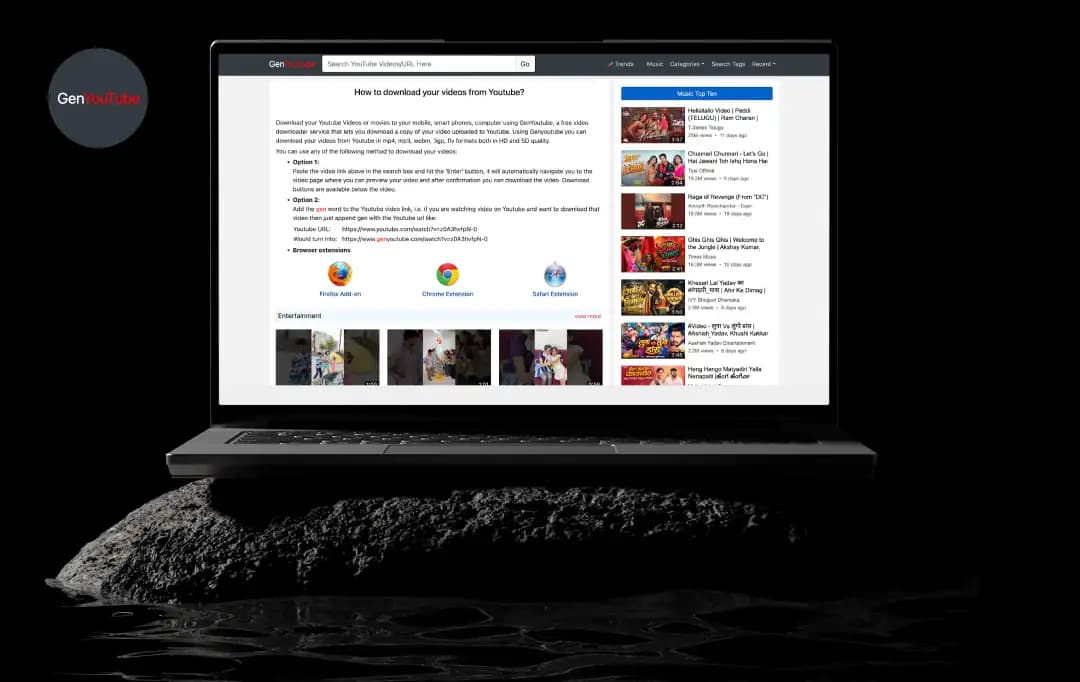
Your Wi-Fi always picks the worst moment to die. Usually, it's halfway through the one tutorial you actually needed, or right before a long flight when you wanted something saved offline. That's the itch GenYouTube is built from scratch, and it's why "genyoutube" gets searched well over a million times a month.
After my team and I spent three weeks putting GenYouTube through its paces - downloading everything from 4K music videos to hour-long documentaries - I can tell you this service isn't quite what it appears to be on the surface. We tested it across different devices for this GenYouTube review, tried various video types, and even intentionally pushed it to its limits with simultaneous downloads.
What we discovered was a mixed bag that'll either save you time or waste it, depending on what you're trying to accomplish. Here's everything we learned about this GenYouTube video downloader, including the features that work, the red flags you should watch out for, and whether it's worth the potential hassles.
Pros and Cons of GenYouTube
Pros
- Completely free to use with no hidden subscription fees.
- No account registration or login required.
- Supports multiple video and audio formats (MP4, MP3).
- Clean browser-based interface; no app installation needed.
Cons
- Heavy ad presence can be annoying during navigation.
- No dedicated customer support if something breaks.
- Downloading copyrighted content poses potential legal risks.
- Pop-ups can sometimes be misleading or intrusive.
Features of GenYouTube That Actually Work
Despite some hiccups we encountered, GenYouTube does deliver on several core promises that make it worth considering for specific use cases. Let me break down the features that consistently worked during our testing and actually provide real value to users.
1. Multiple Format Support
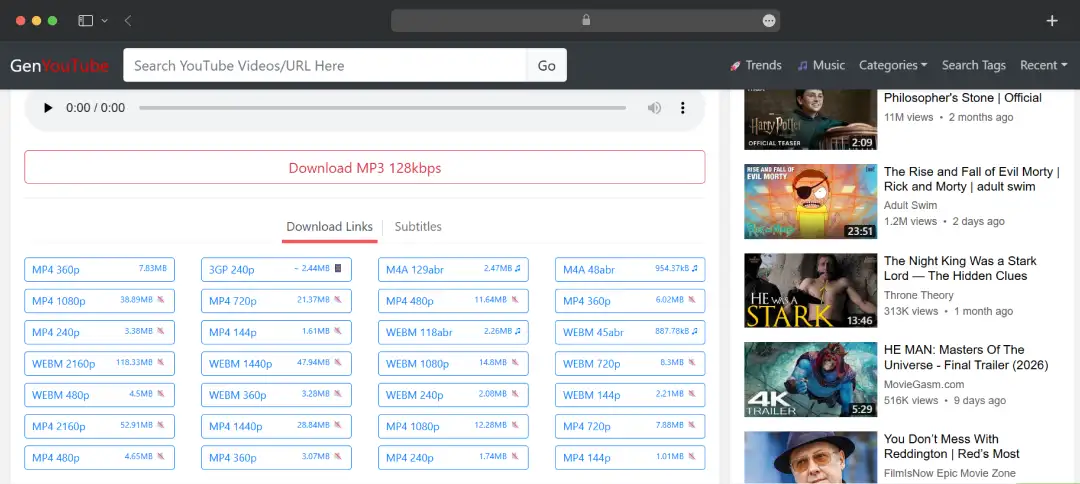
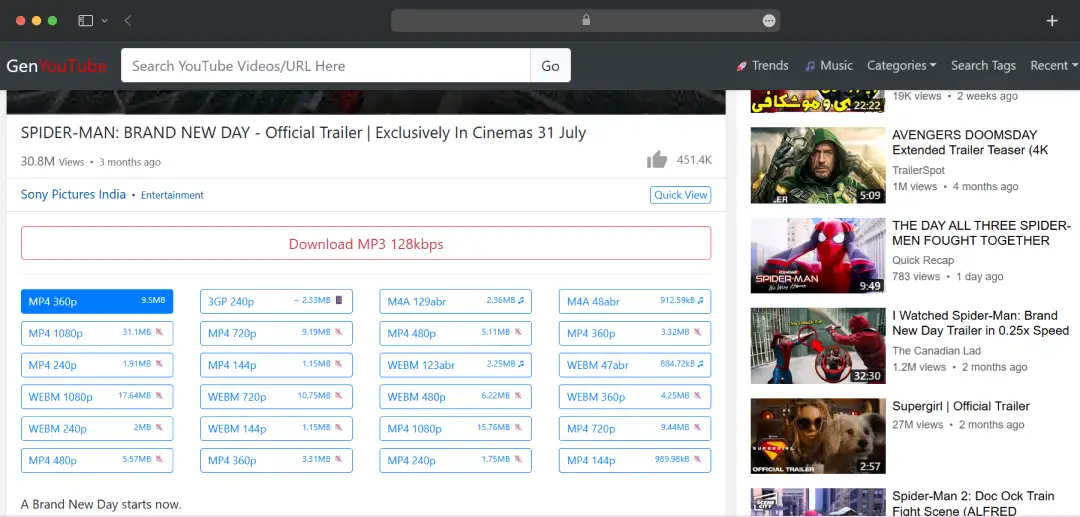
When you use genyoutube online, you are not stuck with a one-size-fits-all file. You can grab videos in MP4, WebM, or 3GP. Want just the audio? Snag the MP3 or M4A. You also get to pick your quality—from a data-saving 144p all the way up to crisp 1080p HD.
One thing worth knowing: the higher-resolution links are often downloaded without audio, which mostly defeats the whole purpose of the download. If a 1080p file comes through silent, drop to 720p and the audio usually reappears. The flexibility is real, you just have to pay attention to which link you're clicking.
2. Audio extraction for MP3 downloads
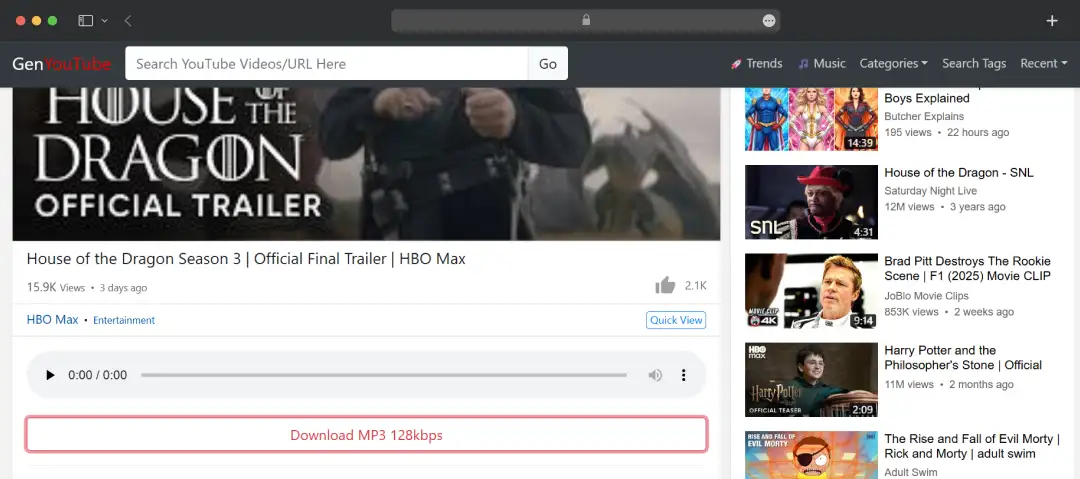
For anyone who came here for a music download more than the video itself, the MP3 option is the headline. Pick MP3 instead of a video format on the results screen and you get a clean audio file in about 20 seconds for a typical track. You can't choose a bitrate, so what GenYouTube hands you is what you get, and quality is fine for casual listening rather than audiophile playback.
There's also no batch or playlist support, which means building a real offline library is a one-song-at-a-time job. Great for grabbing a handful of tracks. Tedious for an album.
3. Browser-based, free, and install-free
The whole experience runs in any modern browser, Chrome, Firefox, Safari, and Edge alike, across laptops, phones, and tablets. There's no software to install, no account to create, no subscription. The GenYouTube free tier is the entire product, there's no paid version waiting to upsell you, with the cost paid through ads (heaviest on the unofficial mirror sites, lightest on genyt.net itself).
For a tool you reach for occasionally rather than daily, that low friction is its strongest selling point against the heavier desktop options. It's also what keeps GenYouTube relevant when most other browser-based YouTube apps die quietly inside a year.
4. Device Compatibility
GenYouTube works with all devices (PCs, laptops, cellphones, and tablets). I verified this by testing downloads on my laptop, Android phone, and iPad. The interface adapts reasonably well to different screen sizes.
5. Access to Restricted Content
This is the feature that genuinely surprised me during testing. By routing the download request through its own independent servers, the platform can often bypass geo-blocks and age gates that would normally force you to log into a Google account or use a VPN. If you hit a regional roadblock on the main app, running the URL through this tool usually pulls the video from a server where it isn't restricted, letting you grab the file without jumping through extra hoops.
However, it's not bulletproof (content with the strongest copyright protection still fails) but the success rate was higher than I expected for a free browser tool. Although, this is also the feature that pushes GenYouTube into legally murkier territory, because some of those restrictions exist for licensing reasons rather than just geography.
6. Performance in Real-World Use
When GenYouTube works, it's actually quite fast. GenYouTube is based on a super-fast script that can handle a number of downloads simultaneously. I timed several downloads:
- 5-minute 1080p video: - 1.5 - 2 minutes
- 10-minute 720p video: - 5 - 7 minutes
- 3-minute MP3 extraction: - 20 seconds
These speeds are competitive with other free services, though not as fast as premium desktop applications.
7. The User Experience: Simple but Not Perfect
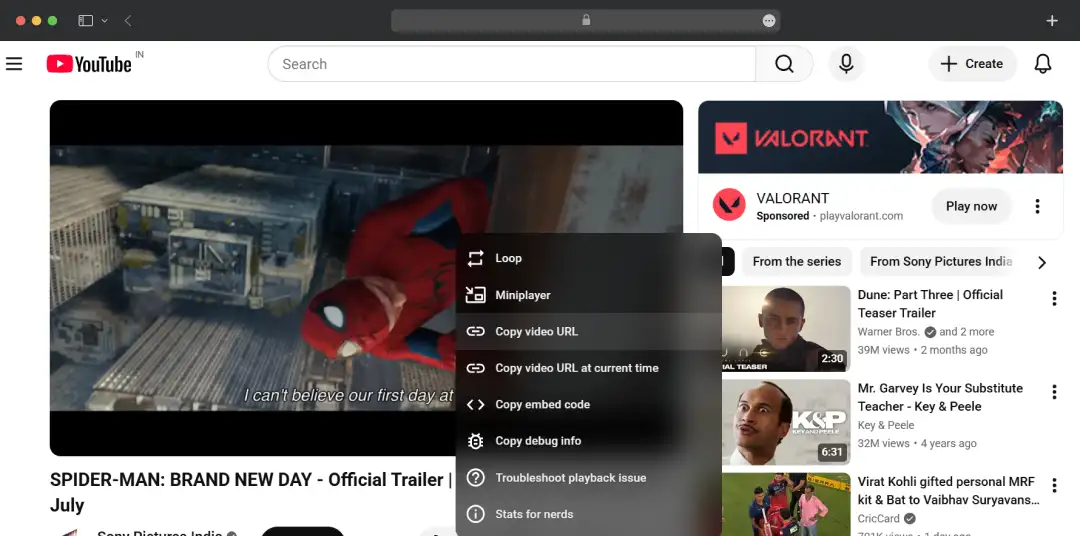
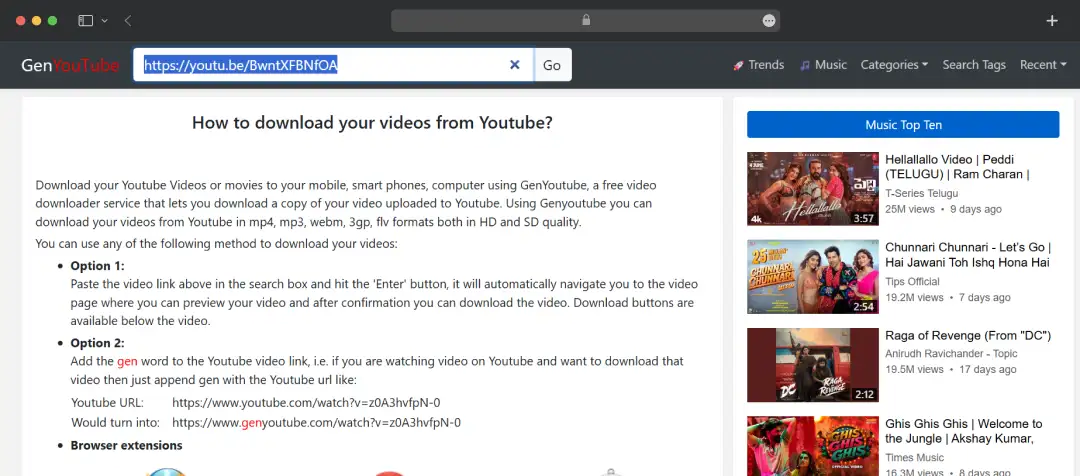
Using GenYouTube follows a straightforward process. You do not need to install any apps or plugins to use this tool. You only require a web browser and internet connectivity.
The interface is clean and uncluttered, which I appreciate. However, I noticed some inconsistency in processing times - some videos loaded instantly while others took significantly longer without a clear explanation.
Customer Reviews
How was your experience with the product?
"What I liked about GenYouTube was that it took away a lot of the usual back-and-forth that comes with making videos. I could focus on the idea itself instead of getting stuck on editing every little detail."
"I use GenYoutube for downloading videos offline, and it’s simple, fast, and easy to use."
"I used GenYoutube for quick video downloads without complicated steps. The platform felt convenient for casual downloading needs."
"GenYoutube is a simple and convenient tool for downloading and watching YouTube videos quickly without much hassle."
"GenYoutube is a lightweight video downloading platform that allows users to quickly save YouTube videos in multiple formats and resolutions. Its simple interface and fast downloading process make it convenient for casual users, but frequent ads, security concerns, and reliability issues can affect the overall experience."
"GenYouTube is straightforward and easy to use for quick downloads. It works well for offline viewing, though the interface can feel cluttered sometimes."
"I found GenYouTube handy for quick video downloads, but after using it for a while, the inconsistent experience made me hesitate to depend on it regularly."
"this is very good"