Uizard Review: Did It Just Help Us in Building Prototypes Without a Code?

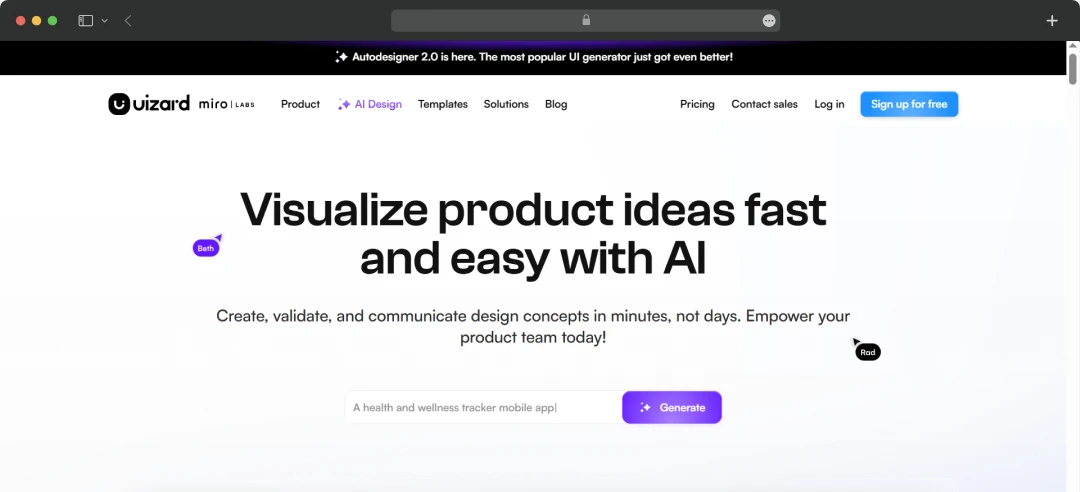
Designing a website or app used to feel like something only developers and seasoned UI/UX pros could do. But that’s changing fast — and tools like Uizard are leading the charge. Marketed as a design platform that turns ideas into prototypes without needing code, Uizard promises to make product design accessible to everyone, from startup founders to marketers and even non-tech creatives.
I stumbled upon Uizard while looking for a faster way to mock up a client app idea, and what surprised me the most was how intuitive it felt. A few of us at the MobileAppDaily team gave it a spin—no design degrees, no technical headaches, just a clean interface, and AI-powered features doing the heavy lifting. In this Uizard review, we’ll walk you through the tool’s key features, what it does well, where it falls short, and whether it’s the right tool for your next big idea.
Pros and Cons of Uizard
Pros
- No design or coding skills needed — anyone can create wireframes, mockups, and prototypes with ease
- AI-powered features — convert hand-drawn sketches into digital screens, auto-generate themes, and use smart text recognition
- Fast prototyping — create and iterate ideas quickly — ideal for MVPs, startups, and brainstorming sessions
- Pre-built templates & components — save time with ready-to-use design blocks for apps, websites, and dashboards
- Web-based and user-friendly — works on most browsers with no installation required
- Supports real-time collaboration — team members can view and contribute to designs in one place
Cons
- Limited advanced customization — may not be ideal for professional designers needing complete creative control
- The free plan has restrictions — limited projects and features unless upgraded to a paid plan
- Not suitable for high-fidelity UI work — primarily focused on low to mid-fidelity prototypes
- Performance may vary with complex or large projects in browser-based usage
- Fewer integrations compared to other leading design tools
Uizard’s Smart Features at a Glance
After exploring Uizard AI with my team at MobileAppDaily, we were honestly surprised by how accessible and efficient the platform is — especially for non-designers like some of us. Uizard doesn’t just simplify design; it actively removes barriers between idea and execution. Here are the standout features that made an impact during our hands-on testing:
1. AI-Powered Wireframe to UI Conversion
One of the most jaw-dropping features — we sketched a basic app layout on paper, snapped a photo, and Uizard instantly transformed it into a digital UI mockup. It’s ideal when you're brainstorming ideas and want to see them come to life quickly.
2. Pre-made Templates & UI Components
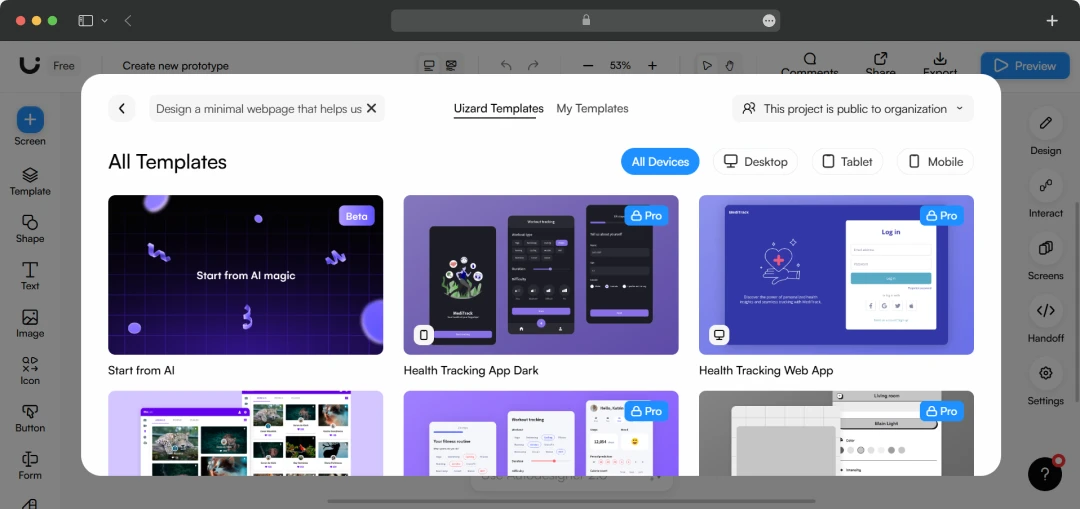
Uizard offers a massive library of templates for mobile apps, websites, SaaS dashboards, and more. We used a mobile app template for a prototype, and it saved us hours of manual layout work - perfect for kickstarting MVPs or pitch decks.
3. Theme Generator (Design Assistant)
This one’s a gem — you can upload a screenshot, website, or brand color, and Uizard auto-generates a cohesive UI theme. We tested it with our site’s palette, and within seconds, the UI reflected our brand identity without needing a designer’s touch.
4. Drag-and-Drop Interface
No need to fumble with design software. Dragging and dropping elements in Uizard felt smooth and intuitive, even for team members with zero design experience. It was easy to build out entire screens in minutes.
5. Text Assistant (AI Text Generator)
When we weren’t sure how to phrase CTAs or content within the design, Uizard’s AI-based text suggestions gave us a clean, professional copy to plug right in. It’s a handy touch for startups or solo founders working alone.
6. Real-Time Collaboration
Working remotely, we loved being able to view and edit the same project in real time. No sending files back and forth — just smooth teamwork, right in the browser.
7. Multi-platform Prototyping
Uizard AI auto designer lets you build web, mobile, tablet, and even smartwatch interfaces. We tested a mobile and web version of the same project side-by-side, and it handled both layouts effortlessly.
Helpful Read: Top Apps for Illustrators and Graphic Designers in 2026
A Look at Uizard Pricing and Subscription Plans
Uizard AI offers flexible pricing to suit a range of users — from individuals exploring early design ideas to teams building full prototypes. During our own testing, we started with the free plan and eventually upgraded to unlock more project slots and collaboration features. Here's a breakdown of what each plan offers:
| Plan | Key Features | Best For | Price (per user/month) |
|---|---|---|---|
| Free | 3 projects, unlimited viewers, AI features, access to templates and components | Beginners & personal use | $0.00 |
| Pro | Unlimited projects, sharing & commenting, export to PNG/PDF, custom branding | Freelancers & startups | $12 (billed annually) / $19 (billed monthly) |
| Business | Everything in Pro, plus advanced collaboration, project permissions, priority support | Teams & small businesses | $39 (billed annually) / $59 (billed monthly) |
| Enterprise | SSO, advanced permissions, onboarding support, dedicated account manager | Large organizations | Custom pricing |
Customer Reviews
How was your experience with the product?