Magnific AI Review | Is It the Best AI Image Upscaling Tool?

You know that moment when you zoom into an image and your heart sinks as pixels the size of Lego blocks stare back at you mockingly? Yeah, we've all been there. But what if I told you there's now an AI that doesn't just fix those pixels – it performs actual digital necromancy on them? Enter Magnific AI: the tool that's been making our entire MobileAppDaily design team question reality itself.
Last week, our photographer uploaded a blurry concert photo from 2015, the kind where you can barely make out if that's a guitar or a pretzel. Thirty minutes later, we were staring at what looked like a professional Rolling Stone magazine cover, complete with stage lighting details that probably weren't even there originally.
This isn't an enhancement – this is image resurrection. Magnific doesn't just upscale; it reimagines, reconstructs, and honestly, sometimes performs what can only be described as visual witchcraft that would make Photoshop weep tears of inadequacy. Here’s our detailed Maginifc AI review packed with all the important information about the product.
Helpful Read: Top AI Art Generators to Try in 2026!
Pros and Cons of Magnific AI
Pros
- Incredible generative upscaling that adds realistic details
- User-friendly interface perfect for all skill levels
- Natural language prompts for creative control
- Multiple enhancement modes and customization sliders
- Excellent for AI-generated images and digital art
Cons
- No free trial or refund policy
- Premium pricing starting at $39/month
- It can occasionally produce artifacts if settings aren't optimized
- The learning curve for optimal prompt writing
- May alter the original image character slightly
Standout Features of Magnific AI
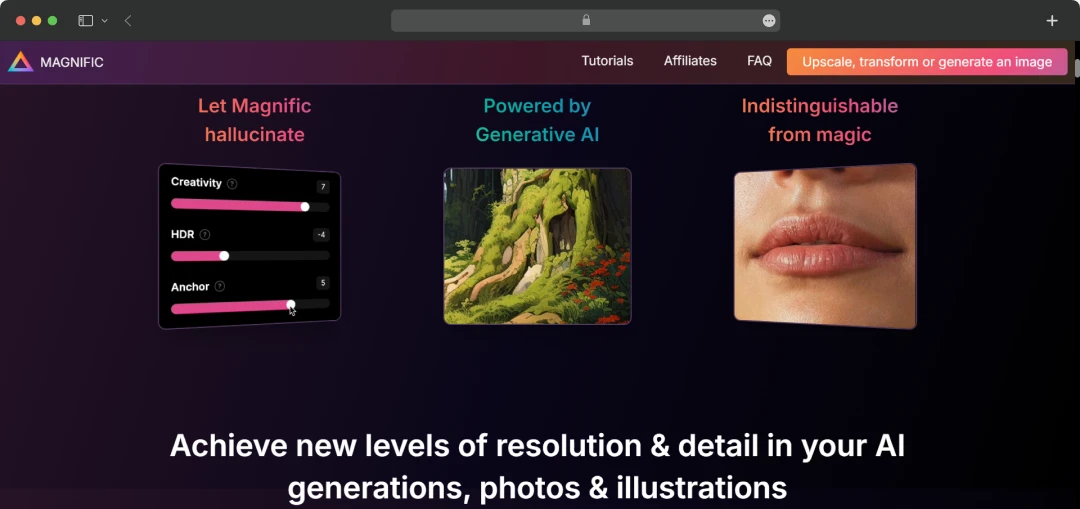
Let me walk you through the arsenal of tools that make Magnific AI feel like creative cheating (the good kind). After months of putting this platform through its paces, our team has identified the standout features that separate this from every other upscaling tool we've tried. Here are the top Magnific AI features that make this tool absolutely indispensable for any serious creative professional.
1. Generative AI Upscaling
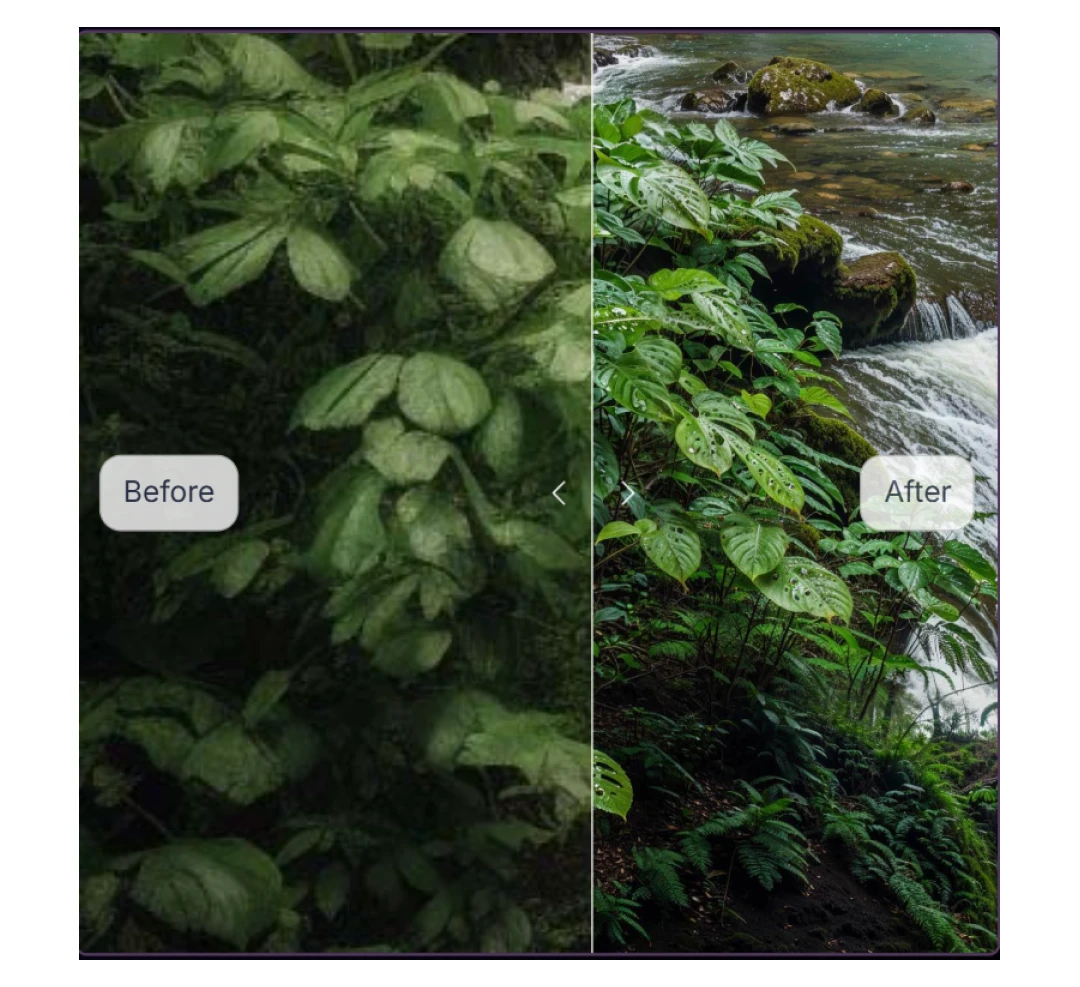
This is where Magnific truly shines! Unlike traditional upscaling tools that just interpolate pixels, Magnific AI uses state-of-the-art technology to upscale, enhance, and transform images with intricate detail.

I recently used it on a low-res product screenshot for one of our app reviews, and the AI didn't just make it bigger – it actually reconstructed the UI elements with incredible accuracy, adding depth and clarity that made the screenshot look like it was taken on a high-end device.
2. Creativity Slider Control
The creativity slider has become my favorite feature because it gives you complete control over how much the AI "reimagines" your image. When I'm working with client logos or brand assets, I prioritize accuracy and stay strictly within brand guidelines. But for our editorial illustrations? I crank it up and watch the magic happen.
You will be able to direct the upscaling process with a description and various controls, such as 'Creativity', which will allow you to control the level of hallucinations. It's like having a creative partner who never gets tired.
3. Natural Language Prompts
This feature is a game-changer for non-technical team members. Instead of fiddling with complex settings, you can simply describe what you want: "make the background more vibrant" or "enhance the facial details."
I watched our junior designer, who's still learning advanced photo editing, create professional-quality enhancements just by describing her vision in plain English.
4. HDR and Resemblance Controls
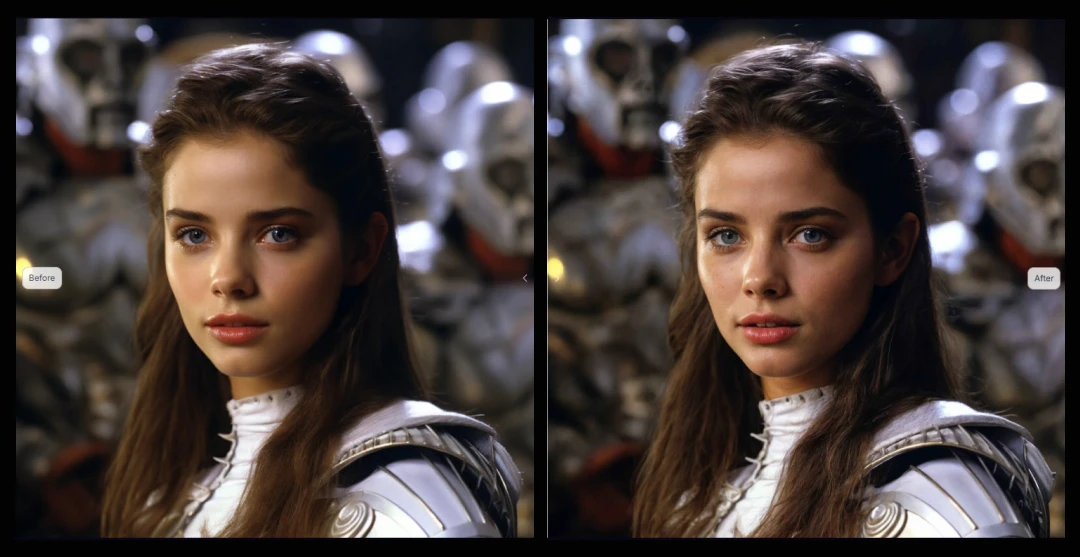
These sliders have saved me countless hours of post-processing. The HDR slider adds that professional punch to images in seconds, without making the image look fake or overdone. The resemblance control is another helpful functionality. It helps me maintain the original character of the image, which is especially important when working with portraits or client-specific visuals.
5. Multiple Enhancement Modes
Magnific AI offers up to 4x, 8x, and 16x resolution upscaling, and each mode serves different purposes in our workflow. For social media content, 4x is perfect. For print materials or detailed web graphics, we go up to 8x or even 16x. The versatility means one tool handles all our upscaling needs.
Bonus Read: Best AI Photo Editors
Freepik AI Acquires Magnific AI: Here’s What It Means for Creative Flow
Freepik, the design resource giant, acquired Magnific AI in May 2024. This wasn’t just another tech acquisition. It was a strategic move that promises to put some seriously powerful AI-driven image enhancement capabilities directly into the hands of more designers, artists, and content creators.
Currently, both Magnific AI and Freepik operate as separate, powerful tools. But the real excitement lies in what's coming next: a seamless integration of Magnific's core functionalities into Freepik's expansive ecosystem.
This acquisition enabled the power of Magnific AI, previously a standalone marvel, to become a more accessible and integrated part of your daily creative toolkit. Freepik's extensive resources and reach, combined with Magnific's groundbreaking technology, are set to
- Simplify design processes
- Amplify artistic expression
- Elevate the quality of digital content across the board
We're genuinely excited to see how this synergy will empower creatives to bring their visions to life with unprecedented speed and stunning detail.
Understanding Magnific AI Pricing
Let's be honest – Magnific AI isn't cheap, but for what it delivers, our team considers it a worthwhile investment. The Magnific Pro plan is the most basic plan and is designed for businesses that need to upscale a moderate number of images. The plan costs $39/month and includes 200 normal and 100 large upscales per month.
Here's the complete pricing breakdown:
| Plan Name | Features | Price per Month | Price of the Plan (Yearly) |
|---|---|---|---|
| Pro Plan | 200 normal upscales, 100 large upscales, 2500 tokens per month, Perfect for small teams or individual creators |
$39/month | $390 per year |
| Premium Plan | 550 normal upscales, 250 large upscales, 6500 tokens per month, Ideal for growing design teams |
$99/month | $990 per year |
| Business Plan | 1,600 normal upscales, 800 large upscales, 20,000 tokens per month, Enterprise-level usage |
$299/month | $2990 per year |
*Magnific AI free trial is not available for users.
*When you opt for an annual subscription, you get two months free, which is a nice bonus.
*However, there's one significant caveat: Magnific AI does not offer refunds due to the substantial expenses associated with the AI-driven upscaling process. This no-refund policy is definitely something to consider before committing.
Customer Reviews
How was your experience with the product?