
OfflineTunes Review: What Really Happens When You Go Fully Offline..
Most offline music apps sound great until you actually lose internet and realize half your songs won’t play. I’ve been there, stuck with buffering screens and downloads that mysteriously disappear when you need them the most.
That’s exactly why I decided to give OfflineTunes a real try, not just a quick skim, but actual day-to-day use. No WiFi, no shortcuts, just pure offline listening. And surprisingly, it wasn’t what I expected.
In this OfflineTunes review, I’m breaking down what it actually feels like to use this app, what works, what doesn’t, and whether it’s genuinely worth your time or just another overhyped app.
Pros and Cons of OfflineTunes
Pros
- Supports a wide variety of formats, including MP3, FLAC, WAV, OGG, OPUS, and M4A.
- Allows you to transfer music seamlessly via a built-in Wi-Fi server, cloud storage, iTunes file sharing, or by downloading ZIPs/audio via the in-app browser
- Allows you to bulk-edit ID3 tags (Artist, Album, Genre) and fetch high-resolution album artwork directly on your phone
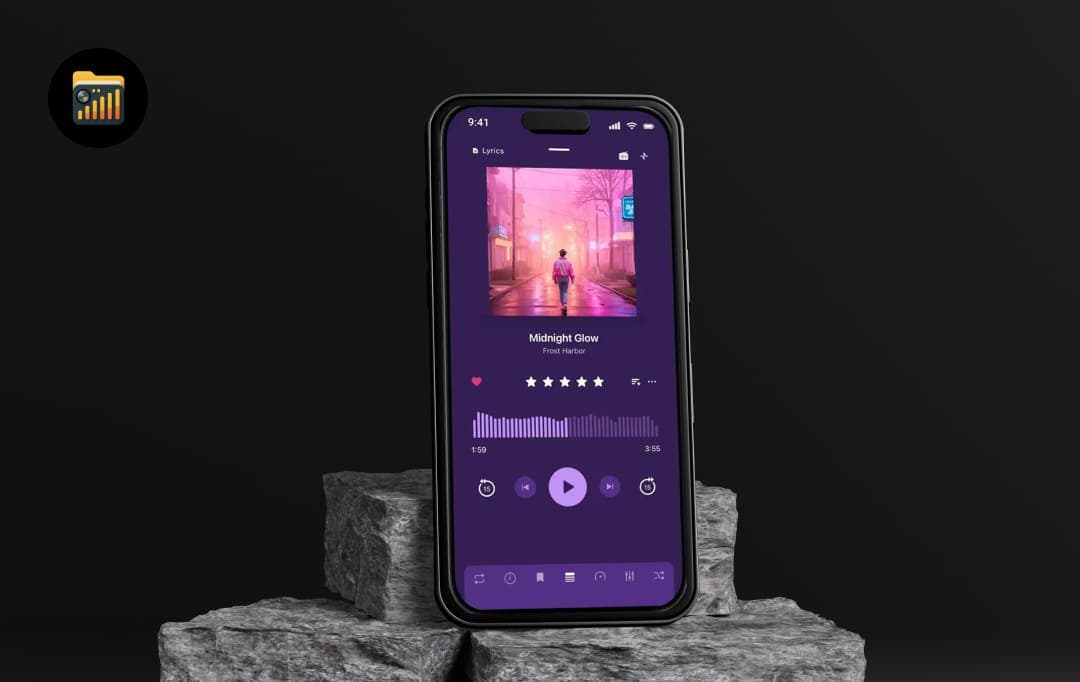
- Features a multiband equalizer, ReplayGain, crossfade, gapless playback, spatial audio presets, and bit-perfect playback.
- Offers deep organizational tools like nested playlist folders, a multi-queue system, and dynamic Smart Playlists
- Features an immersive full-screen visualizer (with Milkdrop presets) and allows you to sync lyrics with millisecond precision
- Includes a unique ‘Drive Mode’ to let you curate playlists using steering wheel/Bluetooth controls
- Delivers powerful discovery features like Track Radio, letting you generate a station from any song to rediscover your own library and surface similar tracks automatically
Cons
- The app is currently only available on the Apple App Store, meaning there is no support for Android or desktop operating systems.
A Closer Look at Standout Features of OfflineTunes
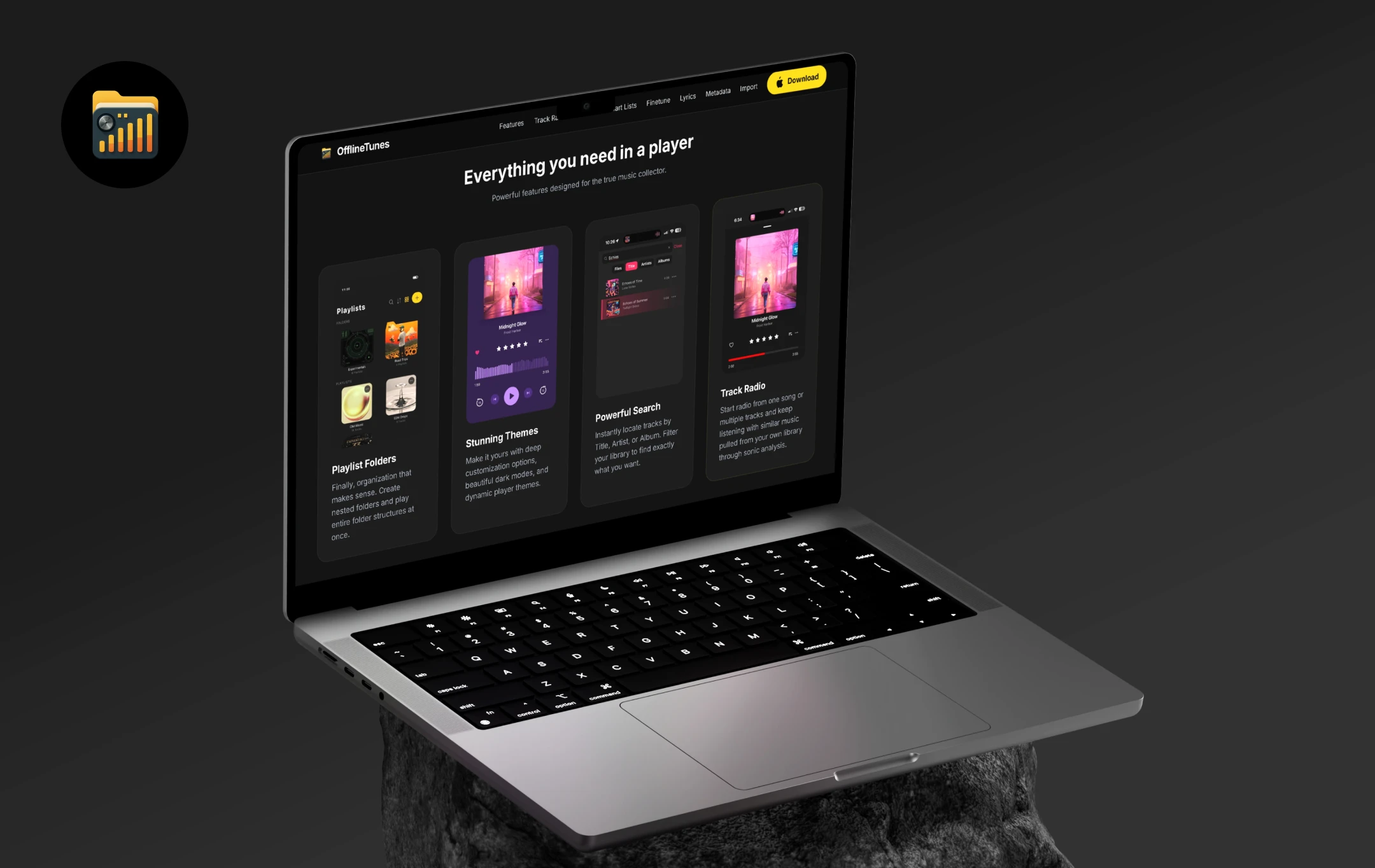
Launched on March 15, 2024, by Alisaad Kasmani, OfflineTunes was born out of a genuine need to tame the chaos of massive, unorganized local audio libraries. Instead of micromanaging files on a desktop, OfflineTunes introduces a brilliant ‘FineTune’ philosophy: an intuitive way to approve or deny tracks completely hands-free.
So, if you are serious about your personal music collection, here is a breakdown of the powerhouse features that make this app so special:
1. Smart Playlists & Nested Folders
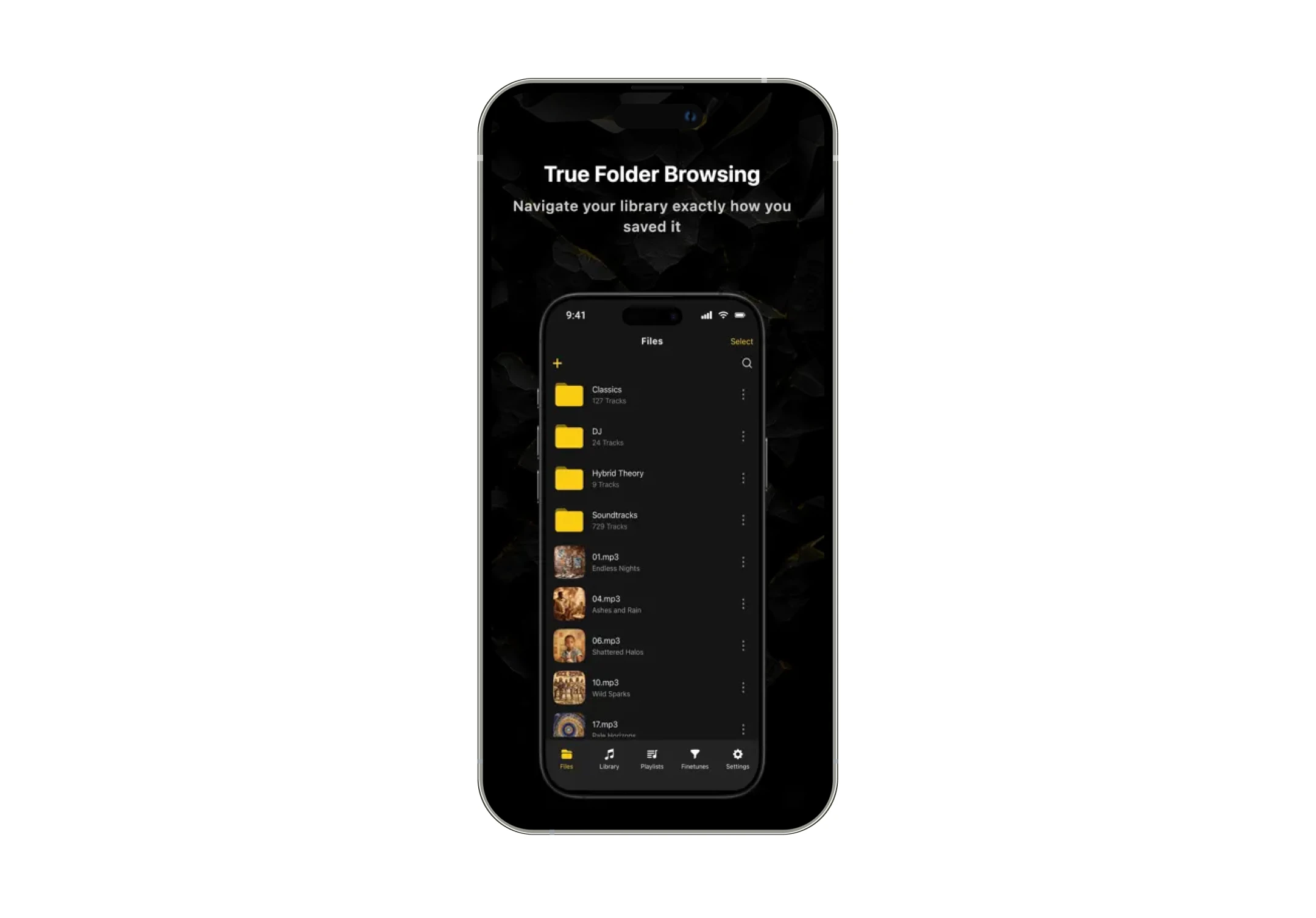
Forget manually dragging and dropping tracks every time your mood changes. With Smart Playlists, you can set custom rules, like genre, play count, or rating, and let the app dynamically build and auto-sync your mixes on a schedule.
It also comes loaded with 100+ pre-made Smart Lists that automatically stay up to date, along with mood-based playlists powered by sonic analysis of your music library, so your music adapts to how it feels, not just how it’s tagged.
Plus, if you're a folder fanatic, the deep nested folder support lets you organize your directories exactly how your brain works, allowing you to play entire folder structures with a single tap.
2. FineTune Mode (Smart Curation)
This is a total game-changer for hands-free library cleaning, especially when you're driving or deeply focused on work. Using simple playback controls, like hitting 'next' to approve or 'previous' to deny, you can curate your library without ever looking at your screen.
Once your session ends, you can instantly bulk-delete the rejected tracks or route your newly approved gems right into your favorite collections.
4. Bulk Metadata & Tag Editor
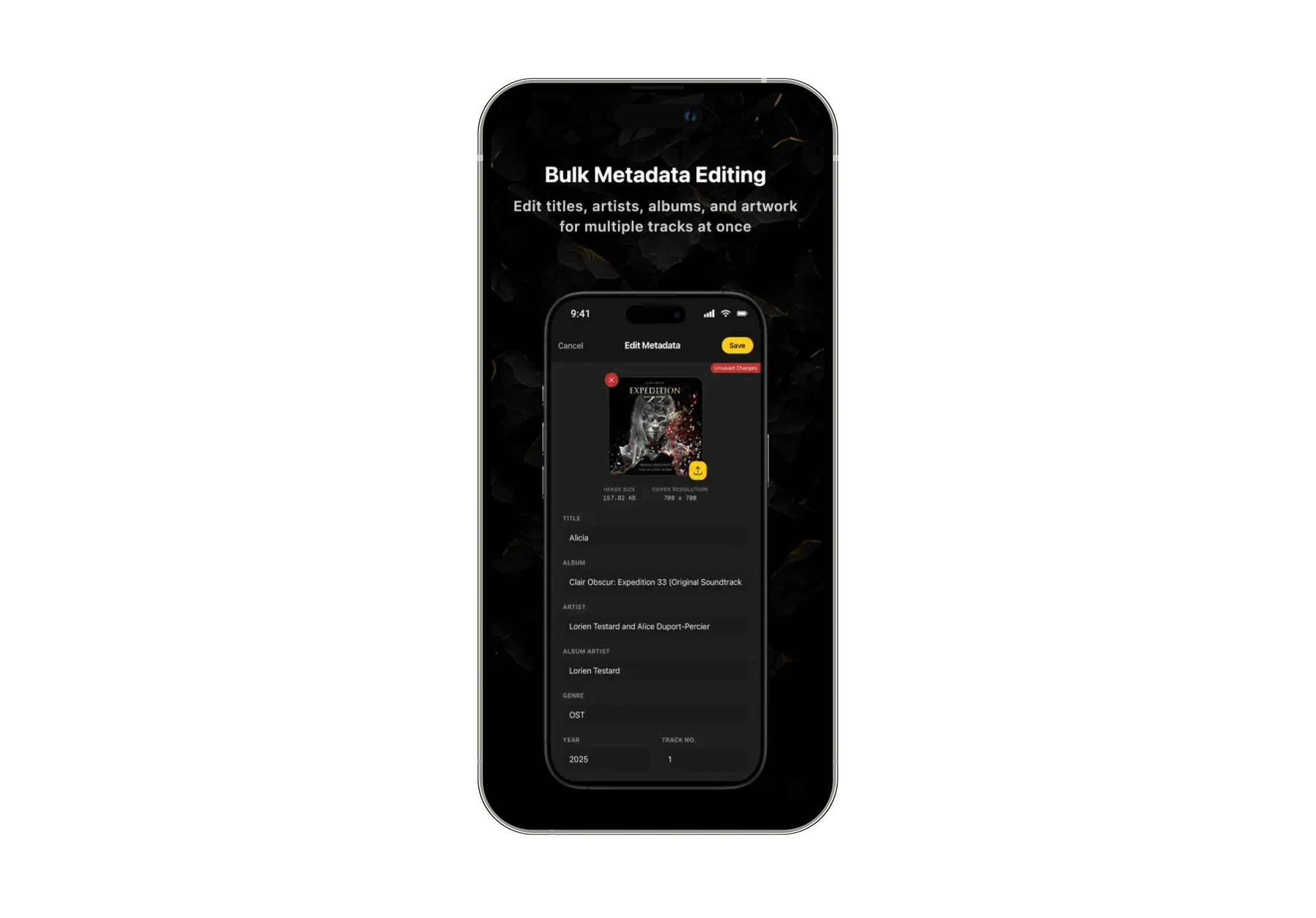
We all know the pain of importing a massive folder only to be greeted by "Unknown Artist" and missing album art. This robust, on-device editor lets you fix high-res artwork, correct artist names, and update genre tags across hundreds of tracks simultaneously with full support for bulk editing across multiple files and entire folders.
You get complete, surgical control over your ID3 tags right from your iPhone, completely eliminating the need to ever hook up to a computer.
5. Advanced Audio Engine
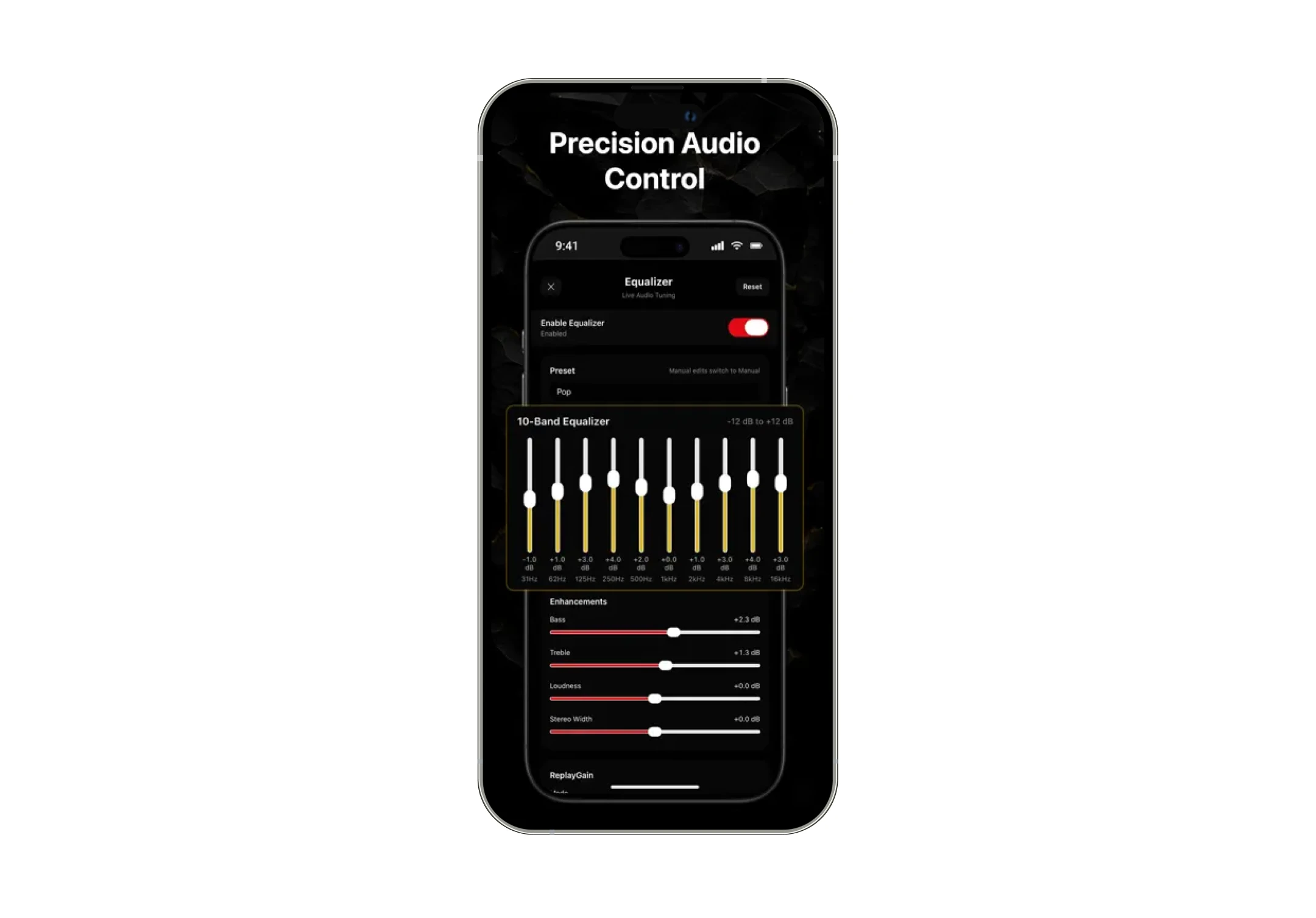
Audiophiles, rejoice, this app packs some serious punch under the hood. It features a fully customizable multiband equalizer and 3D spatial audio presets to shape your sound exactly to your liking. , along with AutoEQ support that lets you search and assign scientifically tuned EQ profiles for specific headphones, automatically switching settings when your headphones are detected.
It also supports bit-perfect playback for a pure, unaltered audio signal straight from your files to your ears.
Furthermore, it completely smooths out your listening sessions with crossfade, automix, gapless playback, skip silence, and ReplayGain normalization, ensuring your mix flows perfectly and you never get jump-scared by a wildly loud track again.
6. Seamless Cloud Integration & Wi-Fi Import
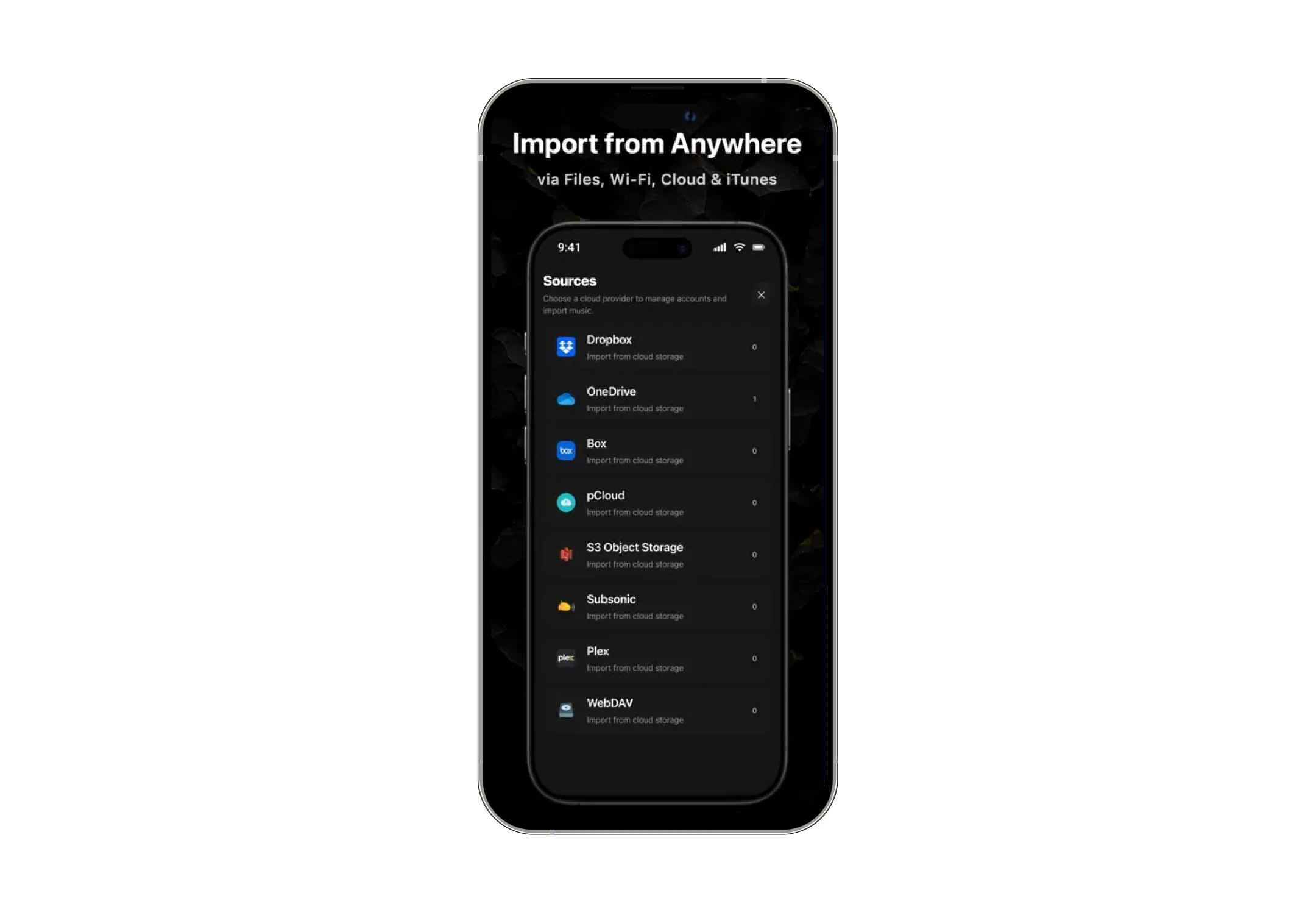
Getting your music onto your phone shouldn't feel like a chore, so OfflineTunes gives you every import option imaginable. You can pull tracks straight from cloud accounts like Dropbox, OneDrive, Box, pCloud, AWS S3, Plex, WebDAV and Music servers that use Subsonic APIs like Navidrome or wirelessly transfer folders from your computer using the built-in Wi-Fi server.
You can even migrate your local iTunes library over seamlessly, perfectly preserving your cover art, ratings, and playlist relationships along the way.
7. In-App Audio Processing & Conversion
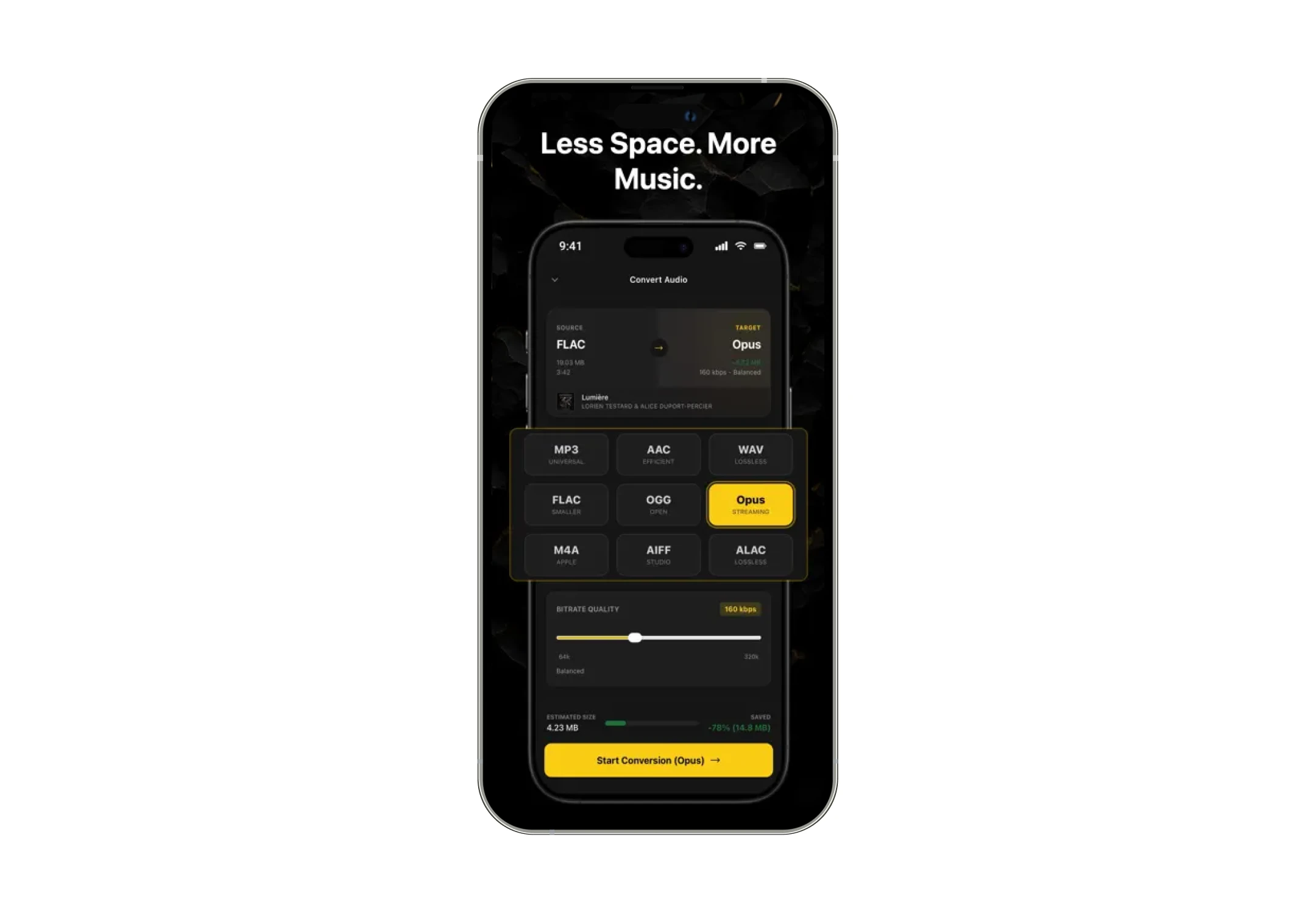
Usually, converting files requires bouncing between three different desktop apps, but OfflineTunes handles it all locally.
You can trim the start and end points of a track, adjust the pitch and speed, and then convert the file into formats like MP3, FLAC, or AAC directly within the app. It's an absolute lifesaver for DJs or collectors who need their files in a specific format on the go.
Understanding OfflineTunes Pricing and Subscription Plans
OfflineTunes operates on a straightforward Freemium model. This means you get genuine, powerful utility right out of the gate without spending a dime.
However, for the true audiophiles, DJs, and music archivists who want complete control over every pixel of their metadata and every frequency of their EQ, the Premium tier unlocks the app’s full potential.
Here is a clear breakdown of what you get with each tier:
| Name of the Plan | Price of the Plan | What Do You Get? |
|---|---|---|
| Free Tier | $0.00 | • Core music playback with offline support and file importing • Built-in browser for direct track imports • Track Radio for music discovery within your library • 100+ Smart Lists + up to 5 custom Smart Playlists • Mood-based playlists via sonic analysis • 3 multi-queue playback system • 10-band EQ with presets + real-time visualizer • Audio tools (conversion, trimming, processing) • Bookmarking and A–B loop support • Live synchronized lyrics • On-device metadata editing • FineTune mode for library curation • Sleep timer, playback speed, and loop controls (Ad-supported) |
| Premium Tier | $3.99 / month OR $29.99 / year |
• Ad-free listening experience • Unlimited Smart Playlists • Full Cloud Import (Dropbox, OneDrive, Box, pCloud, AWS S3, WebDAV, Plex, Subsonic/ Navidrome) • Advanced audio tools (Multiband EQ, AutoEQ, crossfade, ReplayGain) • Offline scrobbling (Last.fm, ListenBrainz) • Batch audio conversion and processing • Library migration (iTunes/Apple Music with metadata, artwork, folders preserved) |
Customer Reviews
How was your experience with the product?