
PostHog Review: The All-in-One Product Platform That Actually Gets Engineers?
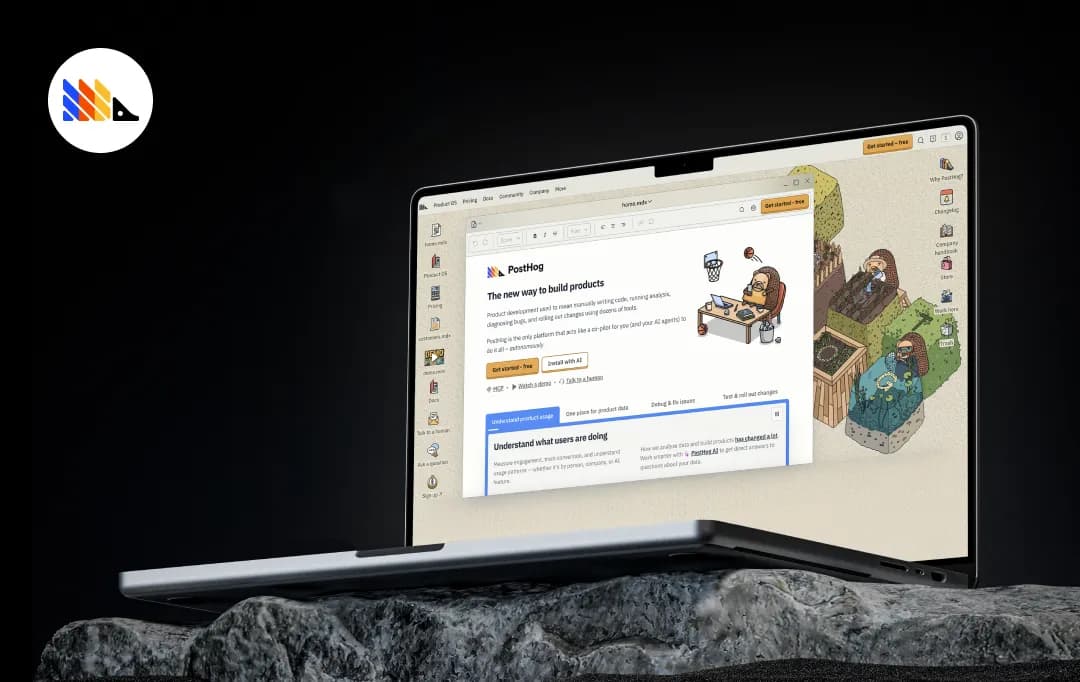
Most analytics tools were built for marketers. PostHog was built for the people actually writing the code, and that difference shows up everywhere. It's an open-source product platform that bundles together product analytics, session replay, feature flags, A/B testing, error tracking, and a whole lot more, all under one roof.
No more jumping between Mixpanel for analytics, LaunchDarkly for flags, and FullStory for replays. PostHog just does it all. What makes it genuinely refreshing is how transparent and developer-friendly the whole experience feels.
Usage-based pricing with a generous free tier, a public company handbook, and technically sharp support that doesn't make you feel like you're talking to a bot. If you're a product engineer tired of duct-taping five different tools together, PostHog is going to feel like a deep breath.
Pros and Cons of PostHog
Pros
- All-in-one platform, analytics, flags, replays, surveys, and more in one place
- Generous free tier, 90% of customers use it for free
- Open-source and transparent, you can see exactly how it works
- Usage-based pricing with no surprise sales calls required
- Works seamlessly with AI agents via MCP and PostHog Wizard
- Strong developer experience with great docs and API access
- PostHog AI lets you query your data easily
Cons
- Can feel overwhelming at first, there's a lot to explore
- Self-hosting requires real infrastructure know-how to maintain
- Dashboard and reporting UI is less polished than dedicated BI tools
- LLM/AI analytics features are still relatively early-stage
- Session replay can get expensive at high traffic volumes
A Closer Look at the Key Features of PostHog
PostHog acts as a comprehensive ‘Product OS’ that replaces your fragmented tech stack by bringing analytics, debugging, and user feedback under one roof. Let’s explore the core PostHog features that make this platform a powerhouse for product teams-
1. Product Analytics
PostHog's analytics engine lets you track user events, build funnels, analyze retention, and map out user paths, all without needing a dedicated data analyst sitting next to you.
You can slice and dice by user properties, company, or custom cohorts, and the AI assistant can answer questions about your data directly. It's the kind of analytics tool that actually helps you understand why something is happening, not just what.
2. Session Replay
Watch real user sessions to see exactly where people get confused, drop off, or run into bugs. PostHog's replay tool is tightly integrated with the rest of the platform, so you can jump from a funnel drop-off straight into a relevant session recording without switching tabs.
It also captures console logs and network requests alongside the replay, making it genuinely useful for debugging, not just for UX observation.
3. Feature Flags & Experiments
Roll out new features safely using feature flags that let you target specific users, percentages, or cohorts. When you're ready to validate, flip it into an A/B test with PostHog's built-in experimentation engine.
Everything is tied back to your analytics data, so you're not guessing whether the experiment moved the needle; you can see it clearly and ship with confidence.
4. Error Tracking
PostHog captures exceptions and errors directly from your application and surfaces them in the same platform where you're already watching user behavior.
You can link an error to a specific session replay, see which users were affected, and understand the impact before your support queue fills up. It's the kind of feature that makes on-call shifts slightly less miserable.
5. Data Warehouse & Integrations
PostHog ships with a built-in managed data warehouse that pulls in data from over 120 sources, Stripe payments, support tickets, error logs, and more.
Instead of your product data living in a silo, you get a single source of truth that spans everything your customers do, inside and outside your app. There's a full SQL editor for power users and BI-style visualizations when you need to share findings with the team.
6. Surveys & User Interviews
When quantitative data isn't enough, PostHog lets you run in-product surveys and schedule user interviews directly through the platform.
You can target surveys to specific user segments based on behavior, so you're asking the right people the right questions at exactly the right moment, rather than blasting a generic NPS form to your entire user base and hoping for the best.
Bonus Read: Best AI Tools for Software Development
PostHog Pricing and Subscription Plans
Let's be upfront about something: PostHog's pricing model is genuinely one of the more refreshing things about it. No contact sales for a quote, no mystery tiers, no annual contract before you've even logged in. Just straightforward, usage-based pricing where you pay for what you use, and nothing else.
More than 90% of companies use PostHog completely for free, and that's not a bait-and-switch. The free tier is legitimately generous, and it resets every month.
1. Free Tier (No Credit Card Required)
Every PostHog account, free or paid, comes with a monthly allowance across all products:
| Product | Free Monthly Allowance |
|---|---|
| Product Analytics | 1 million events |
| Session Replay | 5,000 recordings |
| Feature Flags | 1 million requests |
| Error Tracking | 100,000 exceptions |
| Surveys | 1,500 responses |
| Data Warehouse | 1 million rows |
| LLM Analytics | 100,000 events |
| PostHog AI | 2,000 credits (~$20 value) |
| Logs | 50 GB ingested |
If your usage stays under these limits, you pay absolutely nothing. No card needed, no trial period ticking down, just free, indefinitely.
2. Pay-As-You-Go (After the Free Tier)
Once you exceed the free limits, PostHog switches to usage-based billing. Prices decrease as your volume scales up, so you're not penalized for growing. Here's a snapshot of starting rates:
| Product | Free Monthly Allowance |
|---|---|
| Product Analytics | 1M events |
| Session Replay | 5,000 recordings |
| Feature Flags | 1M requests |
| Error Tracking | 100,000 exceptions |
| Surveys | 1,500 responses |
| Data Warehouse | 1M rows |
| LLM Analytics | 100,000 events |
| PostHog AI | 2,000 credits (~$20 value) |
| Logs | 50 GB ingested |
With PostHog, you can set a billing limit per product, so you never get a surprise bill. That alone puts this tool ahead of a lot of others in this space, where an unexpected traffic spike can turn into a very unpleasant invoice.
Upgrading to pay-as-you-go also unlocks a few platform perks: you go from 1 project to 6, and data retention bumps up from 1 year to 7 years.
3. Platform Add-Ons
For teams that need more, like advanced RBAC, dedicated support, or SSO enforcement, PostHog offers platform packages:
- Boost Add-On — $250/month
- Scale Add-On — $750/month
- Enterprise Add-On — $2,000/month
These are optional and targeted at larger teams. If you're a startup or small team, you likely won't need them for a while.
4. Who Gets Discounts?
PostHog offers discounts for non-profits (just email them after signing up) and has a startup-friendly approach in general. There are no minimums or annual commitments on standard plans; you can also opt into an annual agreement if your finance team needs price stability.
What is PostHog AI?
PostHog AI acts as a deeply integrated co-pilot designed to automate tedious product engineering tasks and seamlessly connect external AI coding agents directly to your analytics environment, opening up a wide range of practical PostHog use cases for modern product teams.
Here is a breakdown of the core features and tools that make up PostHog AI:
1. In-App AI Data Assistant
Instead of manually building charts and insights from scratch, you can chat with PostHog AI using natural language. Ask questions like "Why has my traffic decreased?" or "Create an SEO dashboard," and the AI will automatically write the necessary SQL (HogQL), generate the dashboards, and pull relevant session replays for you.
2. The AI Wizard (Zero-Click Setup)
Installing analytics used to be a chore. PostHog has introduced an "AI Envoy" via a simple CLI command. When pasted into an AI-powered IDE (like Cursor) or a terminal, the wizard authenticates your account, scans your codebase, writes the client and server-side code, and automatically instruments custom events, all in about 90 seconds.
3. PostHog MCP (Model Context Protocol)
This feature allows your external AI coding agents to interact directly with your PostHog environment. Your AI agent can create and configure feature flags, run multi-variate experiments, and query your product data without you ever having to leave your code editor.
4. LLM Analytics & Observability
If you are building AI features, PostHog provides dedicated tools to track your model's performance. It automatically captures complete conversation contexts (inputs/outputs), token usage, response latency, and calculates the exact cost per user/chat.
5. Unified Ecosystem Tracking
Because the AI analytics are built into PostHog's "Product OS," AI generations aren't tracked in a silo. You can watch a Session Replay to see exactly how a user interacted with your LLM prompt, or funnel LLM-generated errors directly into PostHog’s error tracking system to debug them instantly.
Customer Reviews
How was your experience with the product?