Leonardo AI Review: Can We Call It the Best Tool for AI Art Out There?
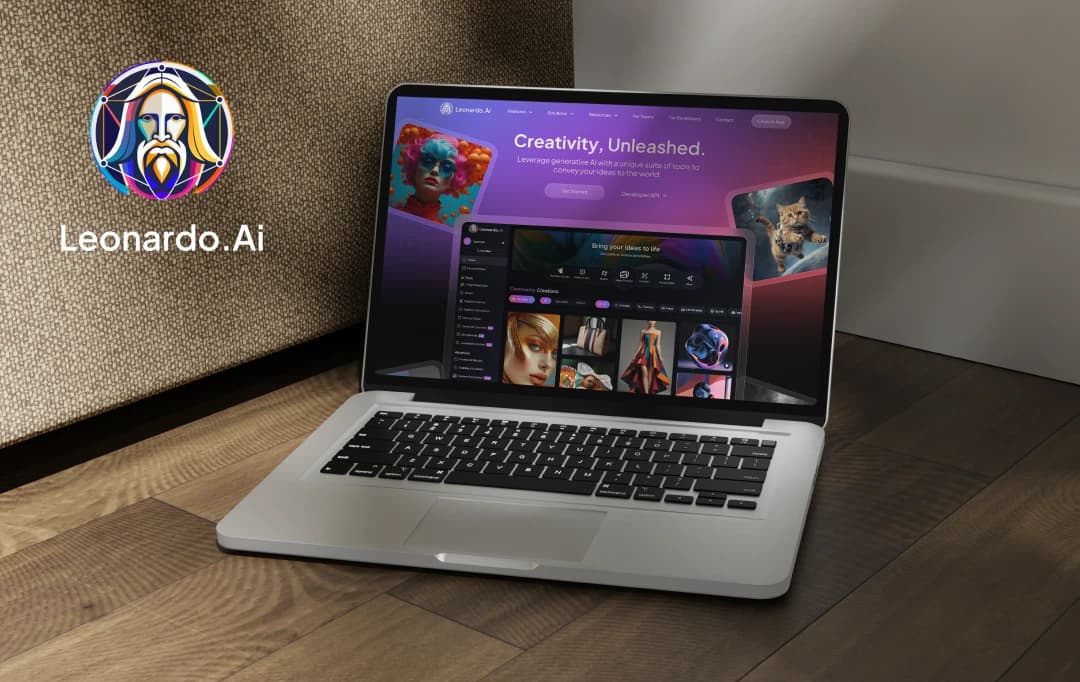
Artificial intelligence is reshaping the very fabric of creativity. It has made the competition among AI tools fierce. Among these, Leonardo AI has emerged as a unique solution and has captivated the attention of artists and tech enthusiasts alike. The AI artwork generator appears to be an ideal solution for those who want to craft breathtaking visuals with minimal effort. Yet, in a world fueled by rapid technological advances, bold claims usually culminate into bland results.
When I got to know about this AI tool, I found myself wondering - what sets it apart from other artwork generators flooding the market? And I wanted to understand if it is truly the best tool for my creative potential or if it is simply riding the wave of AI hype. After testing it, the answer was as clear as day. With this Leonardo AI review, I aim to uncover the truth behind its capabilities. I'll be dissecting its features, performance, and overall value for you to make the right decision
Pros and Cons of Leonardo AI
Pros
- Image output is of high-quality
- Versatile & rich in features (e.g., inpainting, outpainting, real-time editing)
- Intuitive and user-friendly design for both beginners and professionals
- Fast processing with models like Lightning XL
Cons
- Some UI elements are clunky, particularly in the Canvas Editor
- Learning curve due to extensive features
- The free version has slower performance and includes watermarks
What is Leonardo AI?
Leonardo AI is a cutting-edge platform that has left a lasting impression with its remarkable ability to transform creative processes. This advanced tool is engineered to effortlessly generate high-quality visual assets, utilizing pre-trained AI models to craft distinctive and intricate artwork with minimal input.
The AI site is distinguished by its exceptional versatility and user-centric design. The platform seamlessly serves both beginners and experienced professionals in the creative industry. Its intuitive interface equips you to craft impressive visuals with remarkable ease, making it a great asset among other artificial intelligence apps.
This streamlines the creative process and makes it more accessible. Furthermore, the platform accommodates a wide range of input formats, allowing you to generate customized images that precisely meet their unique specifications.
This free image creation tool accommodates a wide array of styles and inputs, empowering you to create intricate and bespoke visual elements. Additionally, it provides advanced AI tools such as 3D texture generation and an AI canvas, enabling sophisticated editing and customization.
The real-time canvas is a standout feature, enabling you to witness changes as you make them. What truly sets the tool apart is its accessibility. The platform offers a free tier, inviting you to explore its full potential without the need for an immediate financial commitment.
Technical Specifications for the iOS and Android Apps
When operating the Leonardo AI app on iOS and Android, grasping the technical prerequisites and specifications is essential for peak performance. Leonardo offers one of the best experiences among other drawing apps for iPad.
This section outlines the app’s compatibility, storage demands, and other vital technical aspects that you must be aware of to fully optimize your experience with Leonardo AI on your iPhone, Android or iPad.
1. Technical Specifications for the iOS App
| Specification | Details |
|---|---|
| Compatibility |
|
| Size | 54.1 MB |
| Languages | English |
| Price | Free download with in-app purchases |
| In-App Purchases |
|
| Age Rating |
|
| Supported Devices |
|
| App Version | Version 1.2.5 (Latest) |
2. Technical Specifications for the Android App
| Specification | Details |
|---|---|
| Compatibility | Requires Android 7.0 and up |
| Size | Not specified |
| Languages | English |
| Price | Free download with in-app purchases |
| In-App Purchases | ₹1,600.00 - ₹74,300.00 per item |
| Age Rating | Rated for 12+ (Parental Guidance Recommended) |
| Supported Devices | All models supporting Android 7.0 and up |
| App Version | Version 1.0.7 (Latest) |
Leonardo AI Features
Leonardo AI is an incredibly robust platform that is packed with features designed to cater to both creative professionals and hobbyists alike. Here’s how I’ve been using its key features:
1. AI Image Editing
The first feature I got into was the image editing tools, such as in-painting and out-painting. These tools completely transformed my creative process. In-painting enabled me to seamlessly fill in missing sections of an image with remarkable accuracy.
Meanwhile, out-painting allowed me to expand or introduce new elements. These features resulted in visually captivating compositions. I tried to craft concept art as well as produce professional-grade images and these Leonardo AI features offered the flexibility and strength to create the required images.
2. Precision Object Removal
Another standout feature is the Magic Eraser tool. I often use it when I need to retouch images. It’s been particularly invaluable when I need to remove unwanted objects from a scene without leaving any traces. The precision of this tool helps maintain the integrity of the image, making my edits seamless and professional.
3. Creative Image Generation
The AI artwork generator’s capacity to craft images from the ground up unlocked a world of limitless possibilities for me. When I was pursuing hyperrealistic creations, the feature empowered me to transform my creative visions into reality.
It’s an invaluable tool for artists, designers, and anyone eager to explore new frontiers of creativity through AI.
4. Custom Models and Training
When I need something truly unique, I’ve found the custom model training feature to be particularly useful. By uploading my own datasets, I can train Leonardo AI to generate visuals that match a specific style or aesthetic, which has been a huge advantage for my game development projects.
5. Realtime Canvas
The Realtime Canvas feature is another favorite of mine. It lets me create, edit, and transform images in real time, providing immediate visual feedback. Whether I’m drawing from scratch or uploading images to edit, this tool gives me the hands-on control I need to perfect my digital art.
Detailed Customization and Style Transfer
Leonardo AI image generator also shines in its customization options. I can specify everything from the style and color palette to the level of detail, ensuring that the generated images perfectly align with my vision.
Plus, the style transfer and advanced editing tools offer me Photoshop-like control, but enhanced with AI capabilities. Layer-based scene compositions and contextual in-painting add even more depth to my creative work.

User-Friendly Interface
Amidst all these sophisticated features, what truly captivates me is the platform’s remarkable user-friendliness. The interface remains intuitive and effortless to navigate for all kinds of users. It ensures that the creative process is both seamless and pleasurable.
Leonardo AI Pricing for API
Leonardo AI provides a spectrum of pricing plans. These subscriptions for the free drawing software are thoughtfully crafted to accommodate various usage levels. The API plans meet your specific requirements irrespective of whether you are a casual user or a professional.
| Plan | Cost | Features | Best for |
|---|---|---|---|
| API Basic | $9 per month (excluding tax) |
|
Small projects or individual developers |
| API Standard | $49 per month (excluding tax) |
|
Medium-sized projects and businesses with frequent AI usage |
| API Pro | $299 per month (excluding tax) |
|
Large-scale projects and enterprises |
| API Custom | Custom pricing |
|
Businesses and developers with specific, custom requirements |
Leonardo AI Pricing for Web App
AI art generators empower artists to craft digital masterpieces anytime, anywhere, using an extensive array of creative tools and dynamic features. The Leonardo AI app offers a range of pricing plans tailored to suit diverse user requirements. Below is a detailed breakdown of the available in-app purchase options:
| Plan | Cost (Yearly) | Cost (Monthly) | Key Features |
|---|---|---|---|
| Free | Free | $0 / month | 150 Fast Tokens Resets Daily, No Rollover Token Bank, Public Generations only, Queue up to 5 generations, Create Motion Videos with Watermark |
| Apprentice | $10 / month | $12 / month | 8,500 Fast Tokens Resets Monthly, 25,500 Rollover Token Bank, Generate 2 jobs concurrently, Unlock Enhanced Quality, Create Motion Videos without Watermark |
| Artisan Unlimited | $$24 / month | $12 / month | 25,000 Fast Tokens Resets Monthly, 75,000 Rollover Token Bank, Unlimited relaxed Image Generations, Generate 3 jobs concurrently, Create Motion Videos without Watermark |
| Maestro Unlimited | $48 / month | $60 / month | 60,000 Fast Tokens Resets Monthly, 180,000 Rollover Token Bank, Unlimited relaxed Ultra & Motion Generations, Generate 6 jobs concurrently, Create Motion Videos without Watermark |
| Leonardo for Teams | Custom Pricing | N/A | Collaboration & Sharing, Streamline workflows, Team management tools, Shared model training, Centralized billing, Access priority support |
Alternatives to Leonardo AI
| Criteria | Leonardo AI | MidJourney | DALL.E 3 |
|---|---|---|---|
| Artistic Quality | Good, but less detailed | Extremely detailed, artistic | Highly detailed, more realistic |
| Customization | High (Custom Models) | High (Advanced Prompt Tuning) | Moderate (Great at realism) |
| Speed | Fast | Moderate | Fast |
| User-friendliness | Easy for beginners | Moderate learning curve | Moderate learning curve |
| Community | >Growing | Large and active Discord community | >Growing with OpenAI support |
| Best For | Quick outputs, customization | Artistic and imaginative projects | Realistic and conceptual images |
| Surrealism | Moderate | Excellent | Moderate to good |
| Inpainting | Basic editing | Not Available | Advanced |
How to Use Leonardo AI
From the moment I began using Leonardo AI, I was struck by its simplicity and intuitive design. It effortlessly enabled me to create breathtaking visual assets with minimal effort. Allow me to guide you through the steps I've taken to harness its full potential and understand what is Leonardo AI image generator.
1. Signing Up and Getting Started
To begin, I navigated to the website and swiftly created an account using my Gmail—an uncomplicated process. Once logged in, I was greeted by the dashboard, poised to dive into the exploration.
2. Exploring Image Creation
The first feature I was eager to explore was image creation, so I promptly headed to the Image Creation tab. Here, I was presented with a selection of pre-trained models that allowed me to input text to create images.
It was a simple learning curve to understand how to use leonardo AI. I entered a text prompt to describe the image I wanted to create, and what truly stood out was the ability to add negative prompts. This feature allowed me to fine-tune the output by excluding any unwanted elements, bringing the final result much closer to my original vision.

3. Playing with the Realtime Canvas
A feature that truly caught my attention was the Realtime Canvas. This dynamic tool allowed me to either draw directly on the canvas or upload an image to be transformed into digital art. Its interactivity is impressive, offering the ability to witness changes in real time as I made adjustments or enhancements.
It was akin to having a digital sketchbook at my fingertips, where ideas could be instantly brought to life. Here, I used the Anime settings to generate the images.

4. Fine-Tuning with Advanced Editing
After generating an image, I frequently turned to Leonardo AI’s built-in editor, aptly named Canvas, to fine-tune the details. Whether it was adjusting colors, enhancing contrast, or making precise modifications like changing the eye color in a portrait, the editor offered every tool necessary. It’s perfect for those instances when you want every detail to be impeccable.
5. Using Images as Prompts
What’s particularly impressive is that Leonardo AI image generator extends beyond simple text prompts. I experimented by using images as a foundation, which proved invaluable when I wanted to create variations of an existing design.
Instead of creating AI art through text-to-image prompts, Leonardo allowed me to upload an image and dictate how closely the AI-generated result mirrored the original anime art I created previously. It offered a remarkable level of creative flexibility.

6. Customizing with Model Training
For those times when I wanted something really unique, I explored Leonardo AI’s model training feature. By uploading a dataset of images, I could train the AI to generate visuals that perfectly matched a specific style or aesthetic I was going for.
This was particularly useful when I needed consistency across a series of images, especially for game development or branding projects.
Customer Reviews
How was your experience with the product?