Can Sora AI beat other AI video generators in the race for creativity, consistency, and capabilities? Here’s a detailed review of the tool to decide whether to adopt it or not.
Sora AI Review - OpenAI’s Contender for AI Video Generation
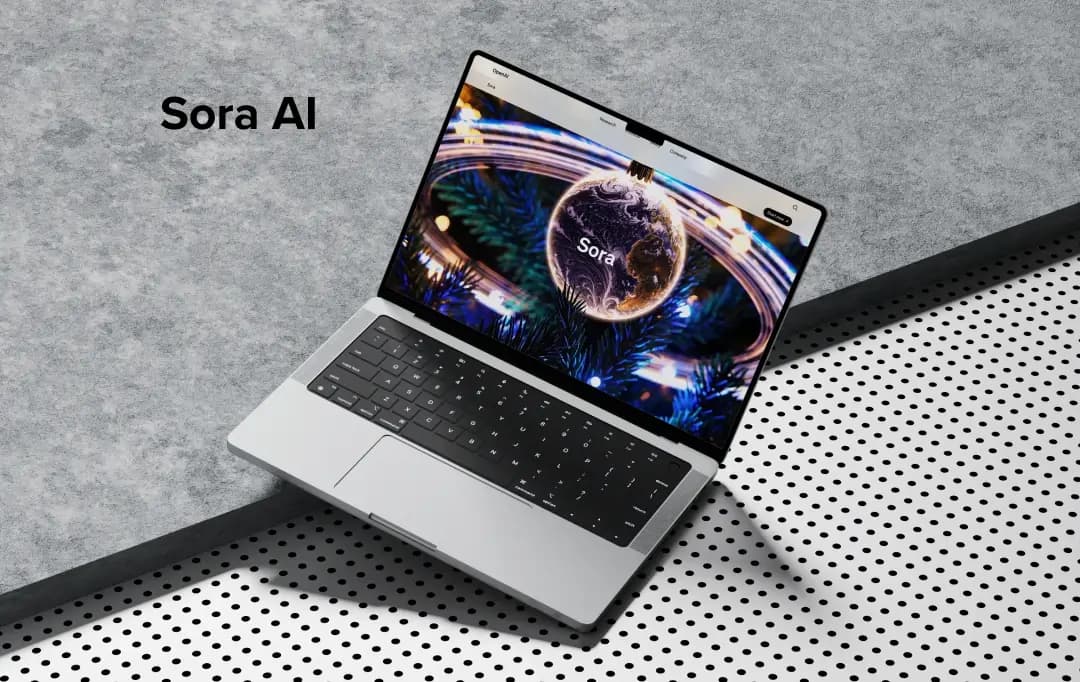
Creating videos through text feels like fantasy or Sci-fi. However, it has been achieved, and there are multiple tools in the market that can perform the task. Today, I will be covering the review of a much-anticipated tool of similar tropes, i.e., Sora AI. Sora AI is an AI video generator which is developed by OpenAI, the reason behind its anticipation. It’s been a few days and there are all sorts of reviews around it. So, to figure out the truth about the tool and understand its capabilities, I have crafted this Sora AI review. Let’s start to unfold what Sora brings to the table for thousands of content creators, filmmakers, visual artists, etc.
Pros and Cons of Sora AI
Pros
- Easy-to-navigate user interface
- Offers fast video generation with credits and relaxed generation without credits with a ChatGPT Pro subscription
- Comes as an add-on with ChatGPT subscriptions
- Capability to create detailed inputs
- Import images and videos to integrate with your creation
- Can control aspect ratio, resolution, and time duration of the video
- Multiple customization options to tweak the AI video generated as per requirement
- Can handle multiple styles
- Comes with presets to automatically overlay a layer of filters over the result.
- Delivers a storyboard to create a full-fledged video
Cons
- The time duration for a single video is limited to 20 seconds max
- No 4K video generation as of now
- Inconsistent output
- No free trial available
- Doesn’t support additional credit buy once exhausted as of now
Sora AI Features
This review can’t be done without learning about the features that the Sora AI model delivers. Therefore, below, I have mentioned all the important features that you can avail of upon using the tool.
1. Image Upload or Choose from Library
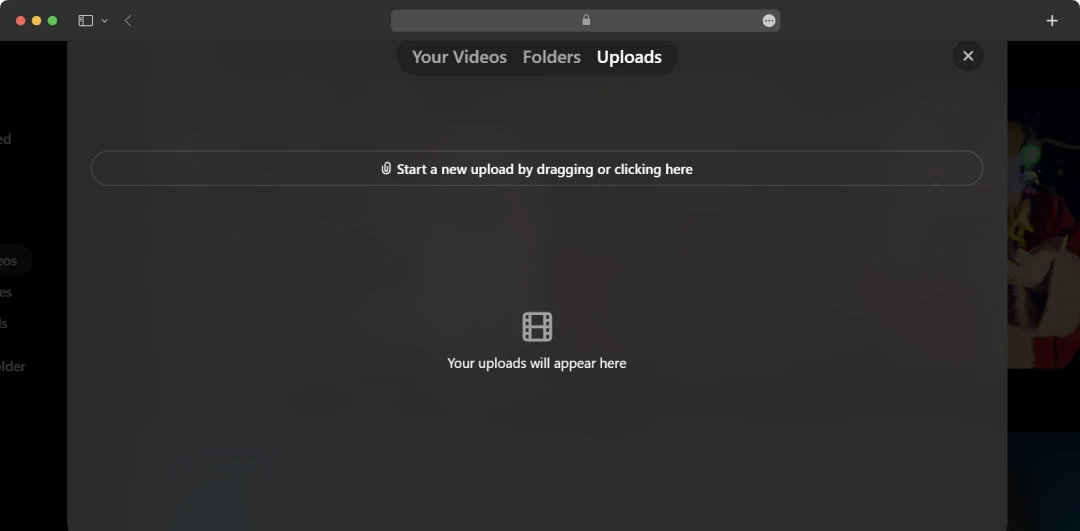
Image upload might seem like a simple option, but that is where you can start creating a video from an image or your library. You only need to click on the “+” sign to use the feature. However, when I tried it, it asked me to upgrade the plan to ChatGPT Pro, so I made sure to do so to create results.
2. Preset
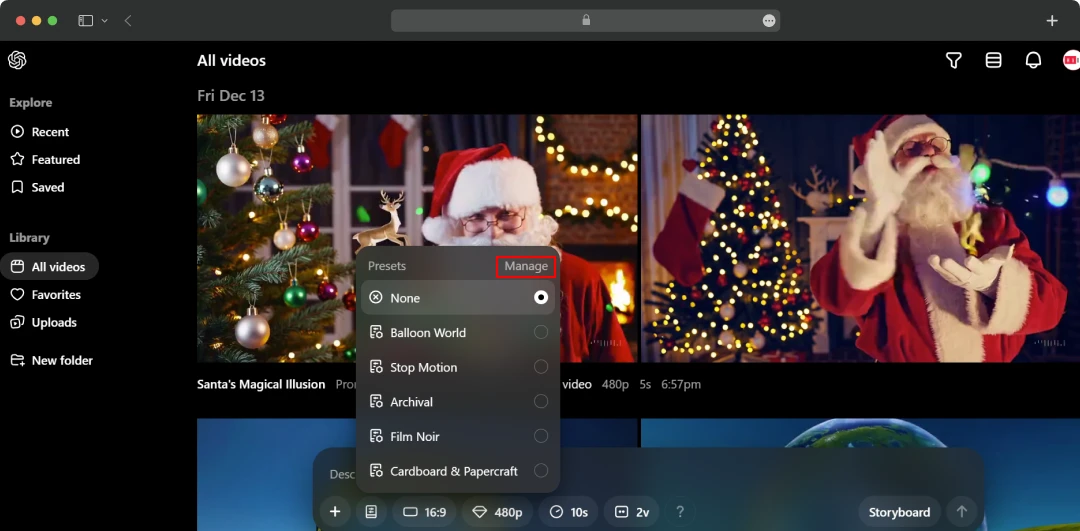
This is the place where things get interesting. By using ‘presets’, you can apply an additional layer of style to the results of the prompt that you enter into the console. I even clicked on ‘manage’, and to my surprise, it allowed me to create my own presets. In fact, you can copy the existing prompts of presets and modify them as per your requirements.
3. Controlling Aspect Ratio
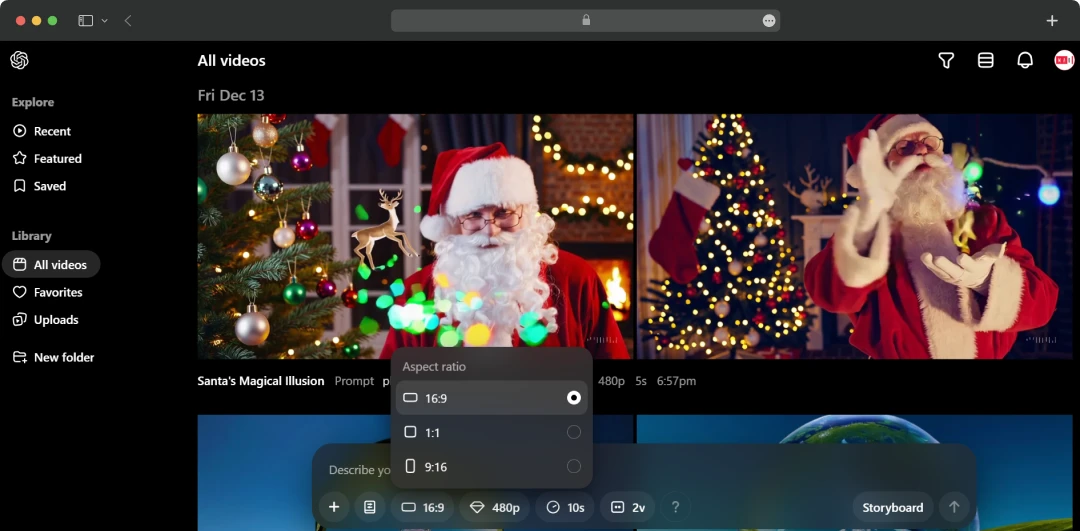
This is another feature that feels basic but can completely change the tonality of the video being presented. Sora gives you three options to choose from for aspect ratios, i.e., “16:9,” “1:1,” and “9:16.” You can choose anyone of your liking, but the credits used are different.
4. Controlling Resolutions
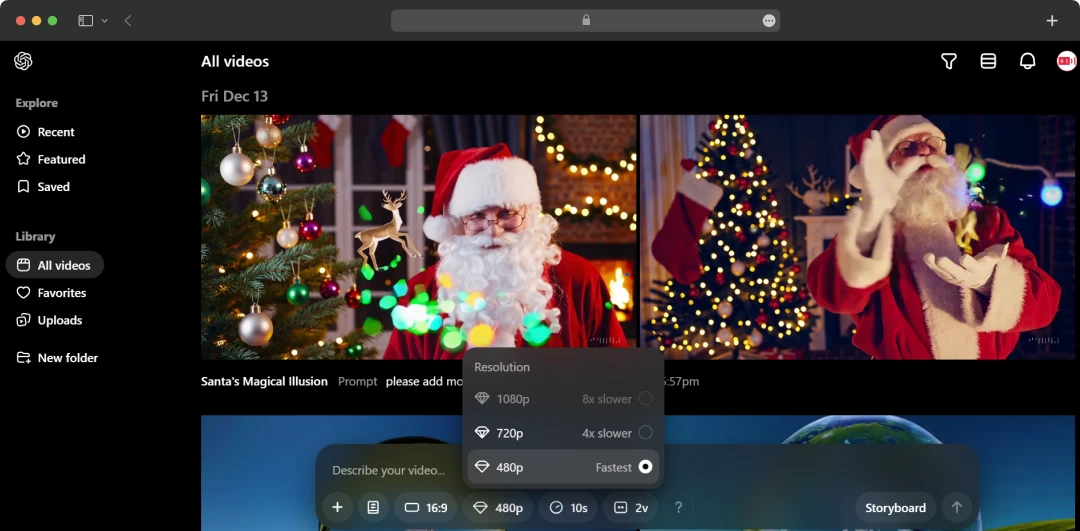
Another important feature is that it allows you to control the resolution of the video generated. As of now, they support video creation from 480p to 1080p. However, the thing to note is that the speed of creation varies.
5. Duration of Videos
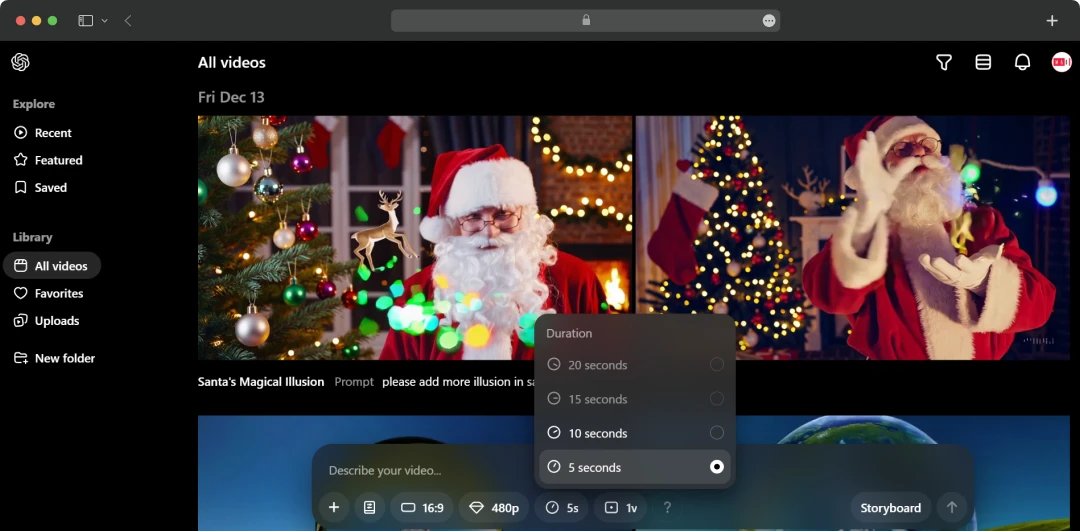
By using this feature, you can select the duration of the video created, i.e., 5 seconds, 10 seconds, 15 seconds, and 20 seconds. And, if you want to create a video of a longer duration, you need to spend more credits.
6. Variations
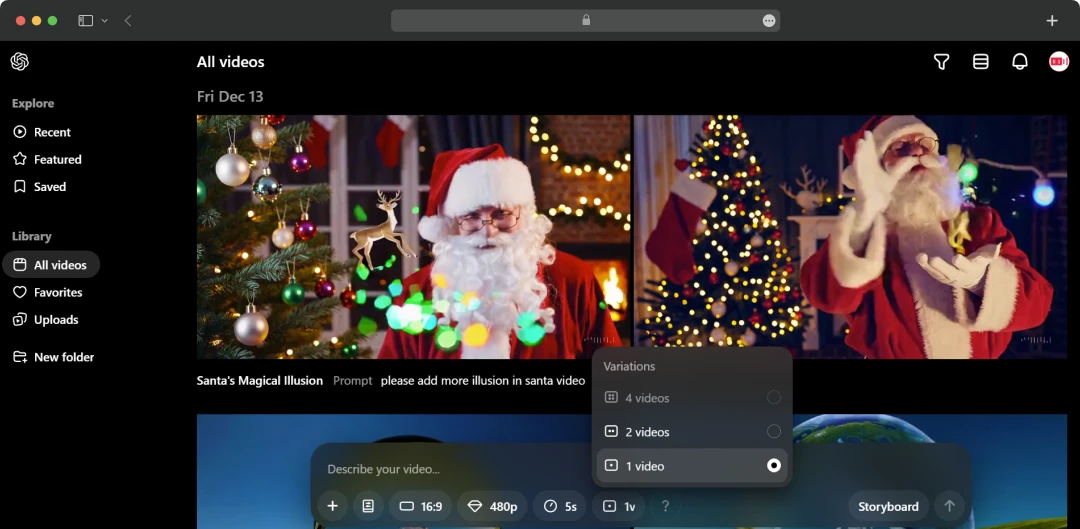
The “Variations” feature of the Sora AI video generator delivers multiple variations of the same prompt. Here, you can select up to 4 variations for a single prompt and choose the best as per your requirements. Again, the credit spend increases with the number of variations asked.
7. Storyboard
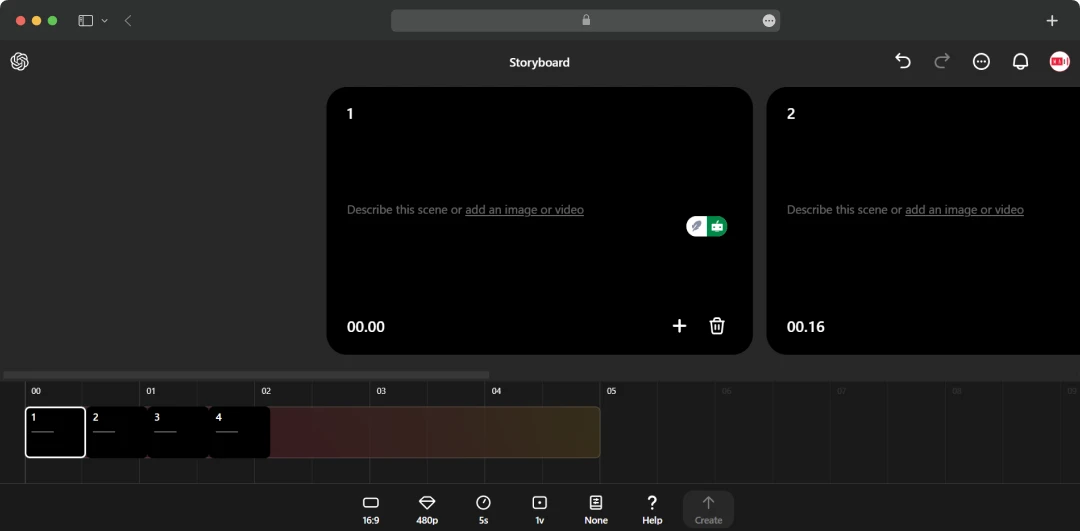
Its storyboard is the most interesting feature. It allows you to create multiple videos and stitch them together to create a full-fledged video. With this feature, you can create a complete video that expresses your ideas. However, note that you need to give enough spacing between each Storyboard card so that the tool doesn’t make hard cuts. The better the spacing between cards, the more detailed the produced video would be.
8. Customization
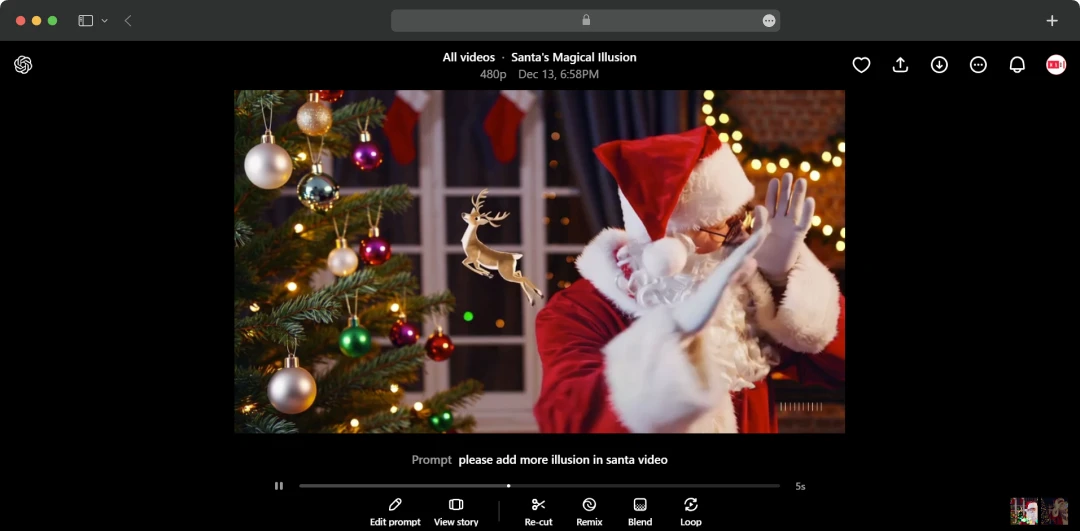
Here, OpenAI Sora offers multiple features to help you get the desired results. Some of the tweaks you can make are:
- Edit Prompt: It allows you to edit the current prompt used after you are not satisfied with the provided results.
- View Story: This allows you to view and edit the storyboard of the video you are working on.
- Re-Cut: This feature allows you to trim a particular portion of the AI-generated video. This trimmed part can also be copied and used in other storyboards.
- Remix: This feature essentially allows you to tweak the video which has already been created. You get several remix options as per the changes demanded, which are Subtle, Mild, Strong, and Custom. Plus, you can also change the number of variations required and the duration of the video.
Sora AI Pricing and Subscription
As of now, the Sora AI video generator is clubbed with ChatGPT. So, to avail of Sora AI features, you are required to subscribe to either ChatGPT Plus or ChatGPT Pro. Below, I have mentioned the prices and offerings that will come with each subscription:
| ChatGPT Subscription Category | Features | Cost |
|---|---|---|
| ChatGPT Plus |
|
$20 per month |
| ChatGPT Pro |
|
$200 per month |
However, within OpenAI Sora, you need credits to create videos. So, knowing about credits and what they can provide is much more important. Therefore, here are the details associated with credits and their usage.
| Resolutions | 5s | 10s | 15s | 20s |
|---|---|---|---|---|
| 480p Square | 20 Credits | 40 Credits | 60 Credits | 80 Credits |
| 480p | 25 Credits | 50 Credits | 100 Credits | 150 Credits |
| 720p Square | 30 Credits | 75 Credits | 150 Credits | 225 Credits |
| 720p | 60 Credits | 180 Credits | 360 Credits | 540 Credits |
| 1080p Square | 100 Credits | 300 Credits | 650 Credits | 1000 Credits |
| 1080p | 200 Credits | 600 Credits | 1300 Credits | 2000 Credits |
It is important to know that if you are creating variations of the same prompt, then they will be charged the same rate. But, if you are tweaking your video with provided options like Re-Cut, Remix, and Blend, then here are the credits used for different durations as per seconds.
| Resolutions | 5s | 10s | 15s | 20s |
|---|---|---|---|---|
| 480p Square | 4 Credits | 4 Credits | 4 Credits | 4 Credits |
| 480p | 5 Credits | 5 Credits | 10 Credits | 10 Credits |
| 720p Square | 6 Credits | 9 Credits | 15 Credits | 15 Credits |
| 720p | 12 Credits | 24 Credits | 36 Credits | 36 Credits |
| 1080p Square | 20 Credits | 40 Credits | 70 Credits | 70 Credits |
| 1080p | 40 Credits | 80 Credits | 140 Credits | 140 Credits |
For us, Product Reviews mean diving headfirst into the functionality of each digital product, whether it's an app, software, or website. Our process centers around hands-on testing of each tool we pick. From scrutinizing features to testing vulnerabilities of security standards, the goal remains to help you find products that don't just work but truly elevate your experience. In a nutshell, if we're recommending a product, it's because we believe it'll genuinely make your digital life easier.
- Products Reviewed - 4,000+
- No. Of Experts - 20+
- Categories - 65+
Customer Reviews
How was your experience with the product?
Also Reviewed By Us
MobileAppDaily’s Review on Sora
With this Sora AI review, my intent was to equip you with the knowledge on whether you should subscribe or not. Well, the tool has a lot to offer you. It can easily create high-fidelity AI videos within seconds with the ChatGPT Pro and ChatGPT Plus subscription. And, it delivers the capability to customize them and change their style with simple presets. Even the results produced are accurate, and with its storyboard, it is possible to convey a story.
But, if I truly judge it, then it lags a lot behind its competitors. This incapability can be attributed to the fact that it is the first generation of the tool. At the same time, tools like Runway are currently available in its third generation. Plus, the prices are way too high in comparison if you want a dedicated AI video generator.
Does it mean the end of the story for Sora? No. Instead, there are much higher chances that the tool will soon improve its capabilities to make it competitive. Overall, from my perspective, if you want a dedicated AI video generator, there are many other great options available in the market. However, if the features of ChatGPT are of use to you, then I would recommend Sora. In fact, the ChatGPT Pro subscription gets you 10,000 credits, and you can even generate unlimited videos in relaxed mode.
MobileAppDaily Ratings
FEATURE
<p>Sora is capable of creating videos and delivers customizable tools. However, in comparison to the <a href="https://www.mobileappdaily.com/products/artificial-intelligence-apps/tools/video-generators">best AI video generators</a> in the market, it does lack a lot.</p>
PRICING
It can be a great deal if you are also looking to use the features of ChatGPT. However, if we compare it with the prices of capable tools like Runway, which is $75 per month for unlimited usage, the prices are much higher.
PERFORMANCE
Sora is more than capable of generating videos on prompts with different aspect ratios, quality, and length. However, it can repeat faces within a video, transitions are not always smooth, promptly doesn’t always pick all the details, etc.
USER FEEDBACK
The feedback from users have mostly been comparative as there are similar tools available in the market. Most users don’t defy its capabilities but chose other because they offer more.
How to Use Sora AI?
If you are pondering over the question, “How to access Sora AI?” Well, to use it, as stated earlier, you need to subscribe to ChatGPT Plus or ChatGPT Pro. Now, to access and use the Sora AI video generator, you need to follow the steps below:
Also Read: Automate Support by Knowing About the Best AI Chatbots!
Step 1:
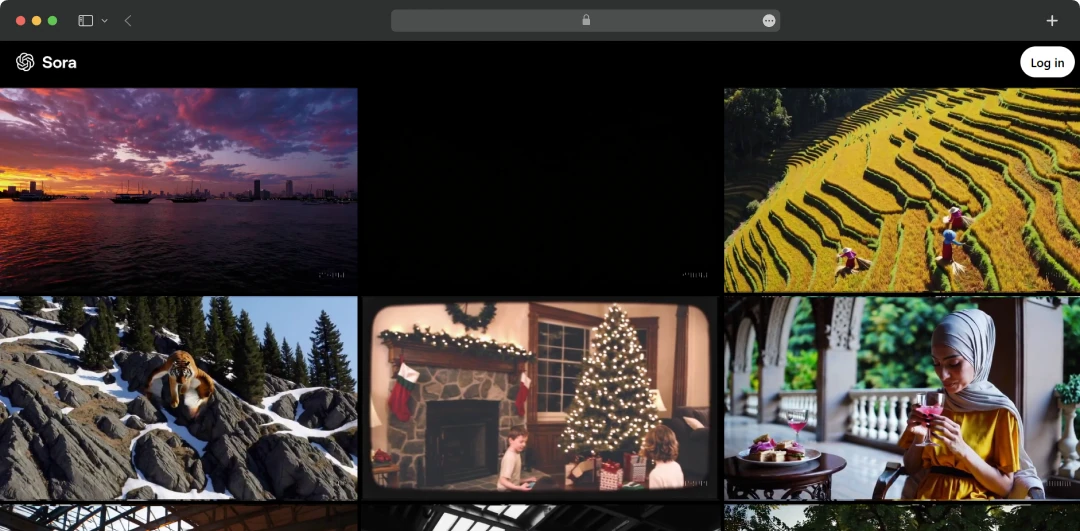
Visit the website of Sora AI: https://sora.com/

Step 2:
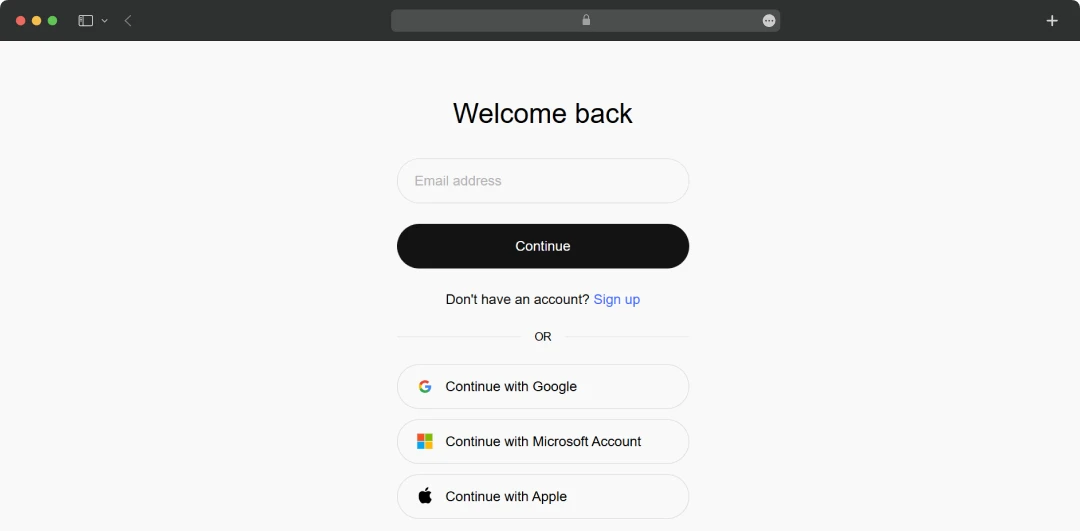
Now, log in to Sora AI using the same credentials as that of ChatGPT.

Step 3:
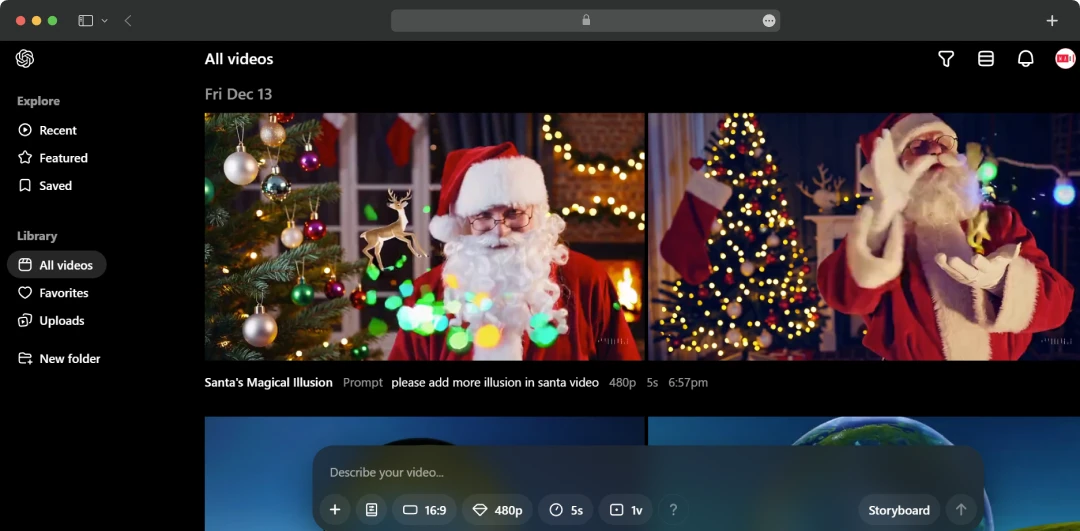
Once done, you will be taken to the homepage of Sora AI. Here, you can start your creation process by clicking on “Describe your video…” and putting in the prompt. After that, click on the arrow pointing upwards to generate the video.

Final Verdict
Through this Sora AI review, my perspective was to help you understand whether the tool is worth your time or not. Without a doubt, it's a capable tool, but there is a lot that it needs to overcome. And coming from the house of OpenAI, the advancements are bound to create waves. But, if I have to recommend a tool to use today, my suggestion would be Runway. However, in the future, I can anticipate OpenAI Sora leading the torch of AI video generators.
Sora AI
Frequently Asked Questions
What is Sora AI?
Sora AI is an AI video generator that is capable of generating videos of 5s, 10s, 15s, and 20s with three different aspect ratios. The tool is developed by OpenAI + the Sora AI model used is stable diffusion combined with transformer architecture.
Is Sora AI free?
No, Sora AI is not free. However, as of now, it is offered through the ChatGPT Plus and ChatGPT Pro subscription.
How do I try Sora AI?
In order to try Sora AI, you need to subscribe to ChatGPT Plus or ChatGPT Pro. With the ChatGPT Plus, you get 1000 credits that can create 50 priority videos. Additionally, with ChatGPT Pro, you get 10,000 credits to create 500 priority videos and unlimited relaxed videos.
How much does Sora AI cost?
As of now, OpenAI Sora can be used by subscribing to ChatGPT Plus or ChatGPT Pro. By subscribing to ChatGPT Plus at $20 per month, you can generate up to 50 priority videos. Further on, ChatGPT Pro, which comes for $200 per month, can help you generate up to 500 priority videos and unlimited relaxed videos.
Can I use Sora AI for commercial videos?
Since its release, there haven’t been any clear announcements about the commercial usage of AI. However, the sole purpose behind creating the tool is to help people in both commercial and non-commercial spaces. Therefore, most likely, if the content created is not infringing any copyrights, it can be used commercially.
What kind of videos can Sora AI make?
OpenAI Sora can create all sorts of videos as long as the prompt is clear. It is the first iteration, so there can be some issues. However, in most cases, it will be able to produce something that depicts the prompt.
Do I need any particular skills to use Sora AI?
No, any user with the capability to write detailed prompts can work with Sora AI.
Can I download the videos Sora AI makes?
Yes, OpenAI Sora offers a dedicated button to download any video of your creation.
How does Sora AI improve productivity?
Sora AI is an AI video generator that creates videos based on the prompts provided. In priority mode, it creates videos within seconds, while the traditional process would take hours, if not days, to recreate the same. So, if we look at it from the perspective of content creators, filmmakers, visual effects artists, etc., it can enhance productivity in terms of usable content, ideation, and visualization of a particular scene.
Can Sora AI integrate with other tools?
Upon its release, OpenAI Sora hasn’t provided any integration with other tools. And there is no news as to when it will happen. However, the possibilities are high because it is a natural move for the kind of product it is.
Latest Products
Delve into our comprehensive yet easy-to-consume guides, which provide insights that help scale business faster and prevent unseen pitfalls.
Related Products
Cut through the clutter and explore related digital products that deliver on performance.